


You glance at your phone, trying to recall if your mom mentioned her doctor’s appointment today or yesterday. Your mind is a jumbled list of notes and reminders. It’s exhausting. This mental load is a heavy weight for many families.
Across the country, people share this same worry. The constant concern for seniors living on their own is real. There’s guilt about not calling enough. And the fear that one missed connection could signal a problem.
Old-fashioned methods like paper logs or shared files often add stress. They turn warm conversations into cold chores. This administrative burden steals your precious time and peace of mind.
You love your parent deeply. But the current systems for monitoring well-being can feel impersonal. They lack the heart of true connection. What you want is reassurance without the overwhelming paperwork.
This guide explores modern ways to support your loved one. We’ll look at options from simple devices to AI companions. The goal is to find a solution that offers both safety and meaningful interaction.
Whether your family member lives across town or has specific health needs, you can find a better way. It’s about making support feel less like work and more like the caring relationship it should be.
Key Takeaways
- Traditional monitoring methods often create stress and feel impersonal.
- Many families experience guilt and worry about their senior relatives’ well-being.
- Modern solutions focus on combining safety with genuine connection.
- The goal is to reduce administrative tasks and reclaim peace of mind.
- Finding the right support can transform care into a more loving experience.
- Options exist for various situations, including long-distance care.
Understanding the Importance of Tracking Elder Care Check-Ins
Balancing a career, your own children, and the well-being of a parent is a modern-day juggling act. The responsibility feels immense, especially when distance separates you. You want to ensure their safety and health without making them feel watched.

Benefits for Caregivers and Families
Modern systems offer peace of mind that old methods can’t match. They work quietly in the background. For instance, a sensor can detect a fall and alert you instantly. This immediate response is crucial for safety.
These tools also notice small changes in daily patterns. This helps caregivers spot potential health shifts early. It’s about proactive support, not just reacting to crises. This approach empowers loved ones to maintain independence at home.
Exploring support services for older adults can provide valuable context for these technologies.
Challenges with Traditional Spreadsheet Methods
Paper logs and shared files often create more work. They rely on manual updates, which are easy to forget. This can lead to gaps in information and increased anxiety for families.
Try JoyCalls Free
No app or new device needed. Start with a free 7-day trial.
The goal is a system that supports without burdening. It should free up caregivers to focus on connection, not administration. Finding a simpler daily connection system is key to reducing this stress.
Why This Buyer’s Guide is Essential for Senior Monitoring Solutions
The sheer number of products promising to keep your loved one safe can leave you feeling more confused than confident about which path to choose. The market has exploded with hundreds of devices, each claiming to be the perfect solution.
“I spent weeks researching different monitoring options, only to feel more overwhelmed by conflicting information and technical jargon.”
This guide cuts through the noise to show you what truly matters. It’s not about the flashiest features but finding technology that fits your family’s unique situation.
| Solution Type | Best For | Key Consideration |
|---|---|---|
| GPS Devices | Seniors who may wander | Continuous location monitoring |
| Home Sensors | Privacy-conscious individuals | Discreet activity detection |
| AI Companions | Daily connection needs | Natural conversation approach |
We’ve gathered real-world information from families and experts to give you a complete picture. Understanding your options before purchasing saves money, time, and emotional energy.
This compassionate guide helps you make informed decisions that respect your loved one’s dignity. It supports meaningful telemonitoring approaches that enhance well-being without overwhelming complexity.
You’ll discover which monitoring options work best for specific needs. The right choice brings genuine peace of mind while supporting independence.
Overview of Senior Monitoring and GPS Tracker Technologies
The quiet hum of modern technology now offers a gentle safety net for independent living. These systems work discreetly in the background, providing peace of mind without constant interruptions.

Today’s options extend far beyond basic emergency buttons. They create comprehensive networks that support well-being through multiple approaches.
Types of Devices Available
Various tools cater to different needs and preferences. Some individuals prefer wearable items, while others benefit from home-based systems.
Common choices include smartwatches that monitor activity and detect falls. Discreet sensors placed around the home notice movement patterns. There are also specialized GPS tracking devices for location awareness.
Try JoyCalls Free
No app or new device needed. Start with a free 7-day trial.
| Device Type | Primary Function | Best Fit |
|---|---|---|
| Wearables | Health monitoring & fall detection | Active individuals |
| Home Sensors | Activity pattern recognition | Privacy-focused users |
| GPS Devices | Location awareness & geofencing | Those who wander |
Innovations in Tracking and Safety
Recent advances make these systems more responsive and reliable. Automatic fall detection can alert family even if the person cannot press a button.
“The two-way voice feature on my mom’s device lets me reassure her immediately if she’s confused, which happens less now that she feels connected.”
Cellular connectivity maintains operation during power outages. This ensures continuous protection regardless of home internet status. These innovations represent significant strides in monitoring technology for older adults.
Understanding the range of available devices helps families choose solutions that match specific needs while respecting independence.
Key Features to Look for in Senior Monitoring Systems
When technology becomes too complicated, it creates barriers instead of bridges to safety and connection. The right system should feel like a helpful friend, not a technical chore.

Focus on these essential features when evaluating options. They determine whether a system will actually be used and provide real peace of mind.
Ease of Use and Reliability
Simple design matters most. Look for devices with one-button operation and automatic monitoring. These features require no technical skill from your loved one.
Cellular connectivity offers superior reliability. Unlike WiFi-dependent options, cellular systems maintain operation during power outages. This ensures continuous protection when it’s needed most.
Many apps now offer intuitive interfaces that caregivers can navigate easily. The best app designs feel natural from the first use.
Data Sharing and Privacy Considerations
Your loved one’s privacy deserves respect. Choose systems that clearly explain what information is collected and who has access to it.
Medical-grade certification provides important assurance. FDA-approved devices meet strict safety standards. This matters for sensitive health information.
Some systems offer helpful features for sharing data with healthcare providers. The right app can simplify this process significantly. For families seeking connection-focused solutions, exploring AI companion options can provide meaningful alternatives.
| Feature Category | What to Look For | Why It Matters |
|---|---|---|
| Ease of Use | One-button operation, automatic monitoring | Ensures consistent use and adoption |
| Reliability | Cellular connectivity, battery backup | Works during power/internet outages |
| Data Privacy | Clear privacy policies, HIPAA compliance | Protects sensitive health information |
| Sharing Features | Easy export options, doctor-friendly formats | Makes collected data actually useful |
Comparing Top GPS Trackers and Monitoring Devices for Elder Care
The market offers GPS devices ranging from simple location monitors to sophisticated systems with emergency response features. Each option serves different needs and budgets.
Product Highlights and Unique Features
When selecting a device, consider battery life, monthly costs, and special capabilities. Some systems excel in specific situations.
| Device | Price Range | Key Feature | Best For |
|---|---|---|---|
| Family1st Senior GPS | $30 + $22/month | 2-week battery | Budget-conscious families |
| AngelSense | $79 + $50/month | Assistive speakerphone | Dementia care |
| Tracki Mini | $19 + $10/month | Ultra-compact design | Discreet monitoring |
| Spot Trace | $130 + $15/month | Satellite coverage | Remote areas |
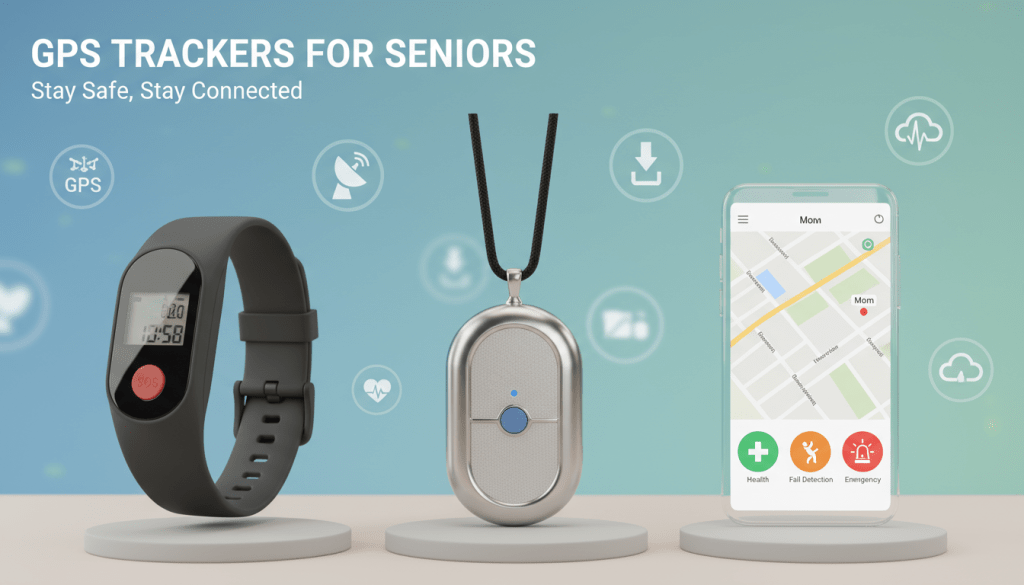
Compact options like the Tracki Mini appeal to those who prefer subtle devices. They slip into pockets unnoticed while providing accurate location data.
“The two-way calling feature on my dad’s device lets me guide him home when he gets confused. It’s become our safety net.”
For families dealing with wandering concerns, specialized systems offer intelligent alerts. They learn routines and flag unusual patterns.
Weather-resistant builds handle active lifestyles. Magnetic attachments secure easily to mobility aids. Knowing your options helps you choose wisely when communication challenges arise.
JoyCalls AI-Powered Solution: Simplifying Daily Check-Ins
The phone rings, and your mom answers to hear a warm, familiar voice asking about her day. This is the heart of JoyCalls—conversation instead of complicated technology.

Your loved one simply uses their regular phone. No new devices to wear. No confusing app to download. They chat naturally about their wellbeing, meals, and mood.
How the JoyCalls Signup Page Streamlines Tracking
The setup process takes minutes on the JoyCalls signup page. You choose call times that fit your parent’s routine. Customize conversation topics they’ll enjoy.
After each call, you receive gentle alerts and summaries. These updates help you stay connected without constant worrying. The services provide meaningful interaction while respecting independence.
For families seeking compassionate support, JoyCalls offers daily connection that feels human. It transforms monitoring into caring conversation.
Integrating Technology with Daily Routines for Peace of Mind
Imagine your parent’s favorite armchair by the window, where they read the morning paper—this is where safety and independence should meet. The goal is to weave support seamlessly into the fabric of their daily life, not to disrupt it.
Before investing in any new technology, experts recommend a simple foundation. Ensure their home has adequate lighting and clear pathways. Regular vision and hearing checkups address root causes of accidents.
Optimizing Safety and Independence
The best systems work quietly in the background. Your loved one enjoys their living space, barely noticing the support. You gain peace of mind knowing they are protected.
Integration works best when it respects established routines. Place sensors along paths they naturally walk. Schedule calls for times they are typically at home. This thoughtful approach reduces stress for everyone.
Modern home care assistance technology supports this balanced living. It provides a safety net without constant intrusion. The aim is to preserve dignity and autonomy.
- Start with the basics. A safe home environment is the first step toward secure independent life.
- Respect their habits. Technology should adapt to their routines, not the other way around.
- Find the right balance. Enough monitoring for safety, enough freedom for a meaningful life.
This harmony allows your family member to continue the living they love. It gives you genuine peace of mind, knowing their independence is supported with compassion.
Turn Daily Check-Ins Into Clear Decisions, Not More Admin Work
A daily check-in should help you feel calmer, not busier.
That sounds obvious, but many families slowly drift into a routine that feels heavier over time. A quick “How are you today?” turns into remembering medication changes, wondering whether lunch was eaten, trying to recall if your parent sounded tired yesterday or just today, and mentally comparing one call to the last five. Before long, the check-in itself is no longer the hard part. The hard part is what comes after: holding all the details in your head and figuring out whether anything actually needs attention.
That is where many caregivers get stuck.
They do not want a spreadsheet because a spreadsheet feels cold, time-consuming, and unrealistic to maintain. But they also know that relying on memory alone is risky. Important patterns are easy to miss when life gets full. A parent may mention dizziness three times in one week in three slightly different ways. They may say they are “fine” every day but also quietly mention poor sleep, low appetite, or skipping a walk. None of those details may seem urgent in isolation. Together, they tell a story.
The solution is not to track more. It is to track smarter.
A helpful daily check-in system should answer three simple questions:
- Did we connect?
- Did anything change?
- Does anything need action today?
If your system cannot answer those three questions quickly, it is probably too complicated. And if it takes too much effort to maintain, it will break down exactly when you need it most.
For seniors and older adults, a good check-in routine should protect dignity. It should not feel like surveillance. For family caregivers, it should reduce mental load rather than create another unpaid part-time job. The best systems are not the ones that capture the most data. They are the ones that help you notice what matters, respond early, and stay present as a son, daughter, spouse, neighbor, or friend, instead of becoming a full-time record keeper.
The Shift That Makes Check-Ins Easier: Track Changes, Not Everything
One of the biggest mistakes families make is trying to document the entire day.
They attempt to note meals, sleep, medication, mood, appointments, energy, blood pressure, visitors, errands, bowel habits, hydration, television habits, and social interaction all at once. This may sound thorough, but in real life it creates friction. Nobody wants to capture that much information every single day. Seniors do not want to answer a list of twenty questions. Caregivers do not want to review a daily report that feels like a case file.
A more sustainable method is to focus on baseline versus change.
Start with a simple understanding of what is normal for your loved one. For example:
- They usually wake up around 7:00 a.m.
- They normally sound cheerful in the morning.
- They eat breakfast consistently.
- They often take a short walk after lunch.
- They sometimes forget small things but generally follow their routine.
- They usually answer the phone on the second or third ring.
- They tend to mention pain directly if something is wrong.
Once you know the baseline, you do not need to record the whole routine every day. You only need to notice when something moves away from normal.
That means your check-in process becomes much lighter. Instead of asking, “What happened today?” you begin asking, “Was today basically normal, or was something different?”
That single shift helps families avoid unnecessary documentation while becoming better at spotting meaningful signals.
Here is the practical rule:
Use a “Same / Slightly Off / Needs Attention” Filter
After each check-in, sort the day into one of three buckets:
Same
Everything sounds routine. No obvious changes. No follow-up needed.
Slightly Off
Something is different, but not urgent. Your loved one sounds more tired, ate less, seems mildly confused, is less talkative, or mentions a minor issue that should be watched.
Needs Attention
A clear action is needed today. This might include a missed medication, worsening symptoms, an unusual level of confusion, a fall, no answer to the call, a major change in mood, or anything that requires contacting someone.
This is much more manageable than trying to write a mini report every day.
It also respects the reality that not every check-in needs a detailed record. Most days should be easy to close out quickly. The goal is not to create perfect documentation. The goal is to know when normal has shifted enough to deserve attention.
What to Actually Listen for During a Daily Check-In
A useful check-in is not about asking more questions. It is about listening for the right kinds of clues.
Older adults often do not present concerns in the most direct way. They may minimize symptoms because they do not want to worry anyone. They may change the subject. They may not describe a problem as a “problem.” Instead, it may show up indirectly through tone, pacing, or small comments.
That means a strong check-in system depends on noticing patterns in five areas.
1. Routine
Routine is one of the clearest indicators of stability in older adults.
You do not need a rigid timetable. You simply want to know whether ordinary daily anchors are still happening. Did they get up, eat, dress, rest, move around, take part in something familiar, or complete the main parts of their day?
A disrupted routine can point to fatigue, illness, sadness, confusion, pain, medication side effects, or growing difficulty with daily living.
Helpful phrases:
- “How has your day felt so far?”
- “Did the morning go about the way it usually does?”
- “What was the easiest part of today?”
- “What felt harder than usual?”
These questions sound conversational, but they tell you a lot.
2. Energy
Energy changes are often more important than people realize.
A parent who sounds flatter, slower, or more worn down than usual may be dealing with poor sleep, dehydration, infection, emotional strain, or medication issues. You are not trying to diagnose over the phone. You are simply learning whether the person sounds like themselves.
Helpful phrases:
- “How’s your energy today compared with yesterday?”
- “Are you feeling steady, or a little worn out?”
- “Did anything feel unusually tiring?”
Notice both the words and the delivery. Long pauses, reduced enthusiasm, breathlessness, or vague answers can all matter.
3. Mood
Mood is one of the easiest things to overlook and one of the most important to monitor.
A senior may be physically safe and still not be doing well. Loneliness, anxiety, discouragement, grief, and withdrawal often appear gradually. A caring check-in should create room for emotional honesty without making the person feel examined.
Helpful phrases:
- “What kind of day has it been emotionally?”
- “Have you felt mostly okay today, or a bit off?”
- “What has been on your mind lately?”
You are listening for changes in warmth, interest, hopefulness, patience, and engagement. Shorter answers than usual, loss of interest in familiar topics, or repeated negative themes may all deserve gentle follow-up.
4. Function
Function refers to how well daily tasks are going.
This includes walking safely, preparing meals, remembering appointments, managing medications, keeping up with hygiene, and handling small household tasks. Functional decline often shows up before a major event happens. That is why these details matter.
Helpful phrases:
- “Did you get through the usual things okay today?”
- “Anything around the house feel harder lately?”
- “How did meals and meds go today?”
This keeps the conversation practical without making it sound clinical.
5. Connection
Human connection is not an extra. It is part of wellbeing.
If a senior is increasingly isolated, that often affects mood, motivation, memory, and routine. A person who has stopped calling others back, lost interest in activities, or gone several days without meaningful contact may need more than a safety check. They may need more companionship built into the week.
Helpful phrases:
- “Who did you talk to today?”
- “Did you get a little people time today?”
- “Was there any part of the day that felt lonely?”
That last question can open the door to honest and important conversations.
A No-Fluff Method: The 60-Second Post-Call Note

If you want to avoid spreadsheets but still track check-ins responsibly, use a 60-second post-call note.
Right after the call, capture only these four items:
1. Overall status
Use one line only:
- Normal
- Slightly off
- Needs attention
2. Main observation
Write the one thing that stood out most.
Examples:
- Sounded tired and said breakfast was late
- Good mood, normal routine
- Mentioned dizziness again
- Missed the call, called back later
- More forgetful than usual about appointment timing
3. Action
Either:
- No action
- Watch tomorrow
- Follow up today
- Notify someone
- Escalate now
4. Owner
Who is doing the next step?
- Me
- Sibling
- Neighbor
- Doctor’s office
- Home aide
- No one needed
That is it.
This tiny system works because it turns a check-in into a decision-making tool rather than a memory exercise. It also creates enough history to spot patterns later without forcing you to maintain a complicated tracker.
Example
Status: Slightly off
Observation: Sounded less steady than usual and said she skipped lunch
Action: Watch tomorrow and remind about hydration
Owner: Me
This takes less than a minute. More importantly, it tells you exactly what happened and what comes next.
Build a Weekly Review So Small Problems Do Not Stay Invisible
Daily check-ins are useful, but the real value often appears at the weekly level.
A single off day may mean very little. Three off days in one week is different. One missed meal is not always a concern. Repeated missed meals are. One forgotten appointment may be an accident. A string of memory slips deserves closer attention.
That is why every family should have a brief weekly review.
Not an hour-long meeting. Not a complicated report. Just ten quiet minutes once a week to answer:
- What felt normal this week?
- What repeated?
- What changed?
- What now needs to be adjusted?
What to look for in your weekly review
Repeated physical complaints
Examples:
- dizziness
- poor sleep
- pain
- nausea
- fatigue
- appetite loss
- shortness of breath
Repeated functional strain
Examples:
- trouble keeping track of medications
- confusion around appointments
- reduced walking
- skipped meals
- more difficulty getting around the house
Repeated emotional changes
Examples:
- less talkative
- more anxious
- unusually irritable
- lower motivation
- more loneliness in the evening
- increased withdrawal
Repeated contact issues
Examples:
- missed calls
- answering later than usual
- forgetting the check-in time
- sounding rushed or distracted
- avoiding conversation
Your weekly review should not just identify problems. It should produce one small decision.
Examples:
- move the call to a better time of day
- shorten the call because afternoons are tiring
- add a second brief hydration reminder
- ask a neighbor to stop by once weekly
- schedule a doctor’s appointment
- start asking one mood question daily
- simplify medication support
- create a no-answer escalation plan
A good review creates adjustment, not guilt.
When a Check-In Problem Is Really a System Problem

Sometimes families assume the senior is “not cooperating” when the real issue is that the routine itself is poorly designed.
For example:
- The check-in happens during nap time
- The questions feel repetitive or childish
- The call is too long
- Too many relatives are contacting them separately
- The senior does not know what the purpose is
- The system depends too much on memory
- No one knows who is responsible when something seems wrong
These are design problems, not character flaws.
If check-ins are failing, review the structure before blaming the person.
Fixes that often help immediately
Make the timing predictable
Most seniors do better when check-ins happen at a familiar time.
Keep the opening warm
Start relationally, not operationally.
Not: “Did you eat, take meds, and go for a walk?”
Better: “Hi, I was just thinking of you. How has today been treating you?”
Ask fewer questions
Two or three good questions are often enough.
End with clarity
Always close with: “I’ll check in again tomorrow,” or “I’ll call after your appointment,” so expectations stay clear.
Avoid multiple uncoordinated check-ins
If three family members are all texting and calling separately, the senior may feel managed instead of cared for.
Assign response roles ahead of time
If there is no answer, who acts first? If they sound unwell, who follows up? If an appointment needs to be booked, who owns it?
Clarity reduces stress for everyone.
The Most Helpful Escalation Rule: Know What Is “Watch” vs “Act”
Many caregivers either underreact or overreact because they do not have a simple threshold system.
A useful rule is this:
Watch
Use when something is mildly different but the person is safe, responsive, and stable.
Examples:
- lower energy than usual
- reduced appetite for a day
- mild forgetfulness
- less talkative
- poor sleep
- minor mood dip
Response:
- note it
- ask again tomorrow
- compare with baseline
- increase attention briefly
Act
Use when the issue affects safety, functioning, or clearly worsens.
Examples:
- repeated dizziness
- confusion that is unusual
- missed medications
- no answer with concerning context
- mention of a fall
- worsening breathing
- inability to complete normal tasks
- sudden emotional distress
Response:
- call again
- contact a nearby person
- involve the appropriate professional
- escalate the same day if needed
This keeps you from living in constant alarm while still taking meaningful changes seriously.
How to Make Check-Ins Feel Respectful for Seniors
No daily routine works for long if the older adult feels talked down to.
That is why the tone of the check-in matters just as much as the content.
Adults want to feel included, not monitored. Even when support is clearly needed, dignity should remain central.
Three habits that help preserve dignity
1. Explain the purpose clearly
Say:
“We’re doing this so small issues do not become big ones, and so everyone worries less.”
That sounds collaborative, not controlling.
2. Use partnership language
Say:
“Let’s figure out what makes these calls most helpful for you.”
Not:
“We need to keep track of you better.”
3. Ask about preferences
Find out:
- preferred call time
- whether they prefer direct or casual questions
- who should be contacted if something seems wrong
- what topics make the call feel human and enjoyable
When seniors have some say in the structure, resistance usually drops.
A Practical 7-Day Reset If Your Current System Feels Messy
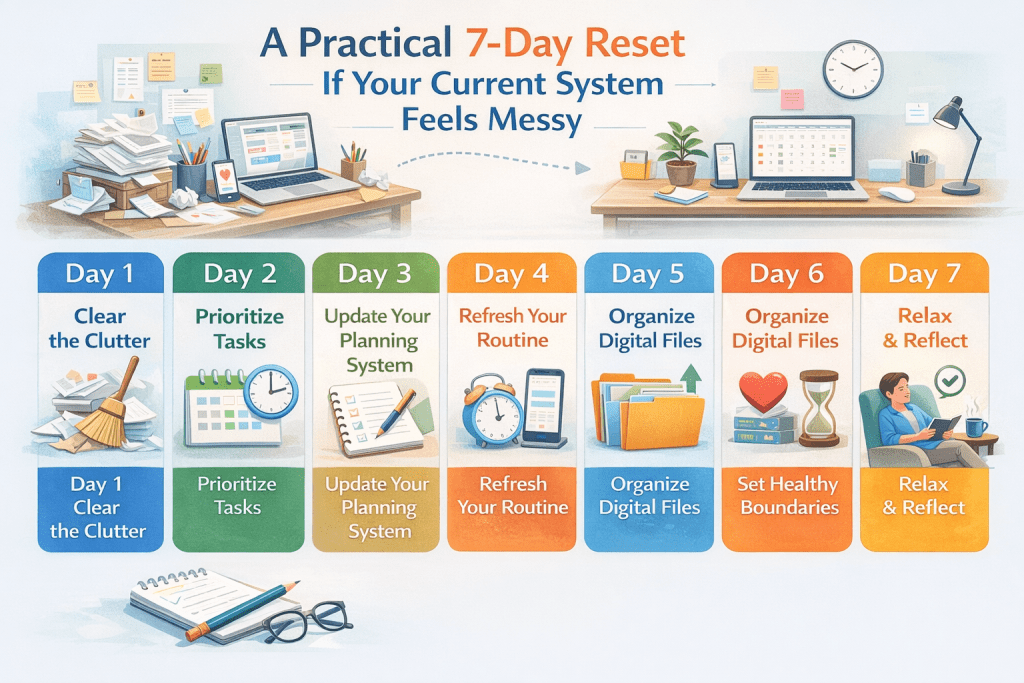
If your check-ins already feel disorganized, do not rebuild everything at once. Reset in one week.
Day 1: Define baseline
Write down what “normal” looks like for routine, mood, energy, meals, memory, and call habits.
Day 2: Pick one call window
Choose the time most likely to succeed consistently.
Day 3: Create your three-question format
For example:
- How has today been going?
- Anything feel harder than usual?
- What do you need tomorrow to go smoothly?
Day 4: Start the 60-second post-call note
Use status, observation, action, owner.
Day 5: Set watch vs act thresholds
Write down what deserves monitoring and what deserves same-day action.
Day 6: Clarify backup roles
Decide who responds if you cannot.
Day 7: Review the week
What repeated? What needs to change next week?
This reset is simple enough to use and strong enough to prevent the common slide back into mental clutter.
The Best Check-In System Is the One You Can Sustain Kindly
A daily check-in should leave both people feeling steadier.
For the caregiver, that means less second-guessing, less trying to remember every detail, and less carrying everything alone in your head. For the senior, it should feel like reliable support, not inspection. It should sound like care. It should protect independence. It should make it easier to notice when something truly changes.
You do not need a spreadsheet to do that well.
You need a small, repeatable method that helps you notice change, name the next step, and move on with confidence. If your routine does that, it is working. If it also preserves warmth, dignity, and human connection, it is doing exactly what a good check-in system should do.
How to Respond When Daily Check-Ins Start Revealing Patterns
A daily check-in becomes truly valuable the moment it stops being just a routine and starts becoming a source of insight.
That is the point where many families feel two emotions at once: relief and uncertainty. Relief, because they are finally catching small signs early instead of being surprised by a bigger issue later. Uncertainty, because now they have to decide what those signs actually mean and what to do next.
This is where many well-intentioned caregivers start to feel overwhelmed.
Maybe your mom has sounded more tired for four days in a row. Maybe your father keeps saying everything is “fine,” but he is mentioning skipped meals more often. Maybe your loved one is still answering the phone, still being polite, still saying not to worry — and yet something clearly feels different. The challenge is not always getting the information. The challenge is knowing how to respond in a way that is calm, respectful, and useful.
Families often swing to one of two extremes. They either dismiss early changes because nothing seems urgent yet, or they panic and treat every small change like a crisis. Neither response is ideal. Seniors need support that is steady and thoughtful, not reactive. Loved ones need a practical framework that helps them decide what deserves observation, what deserves adjustment, and what deserves immediate action.
A good daily check-in system should never end with “Now I have more things to worry about.” It should lead to “Now I know what my next step is.”
That next step may be small. It may simply be watching the same issue for two more days. It may mean changing the time of the call, asking one better question, or arranging an extra touchpoint that week. Or it may mean involving a medical professional, neighbor, or family member right away.
The important thing is that the response matches the pattern.
That is the real purpose of consistent check-ins: not to collect information for its own sake, but to help families make better decisions earlier, with less chaos and more confidence.
Patterns Matter More Than Isolated Moments
One unusual day does not always mean something is wrong.
Older adults, like everyone else, can have off days. They may sleep poorly, feel unmotivated, skip lunch, sound irritated, or forget a small detail without it signaling a larger decline. If families react strongly to every single off day, check-ins can quickly become tense and exhausting for everyone involved.
But patterns are different.
Patterns tell you that something is repeating, deepening, or shifting in a way that may need support. A single missed meal may mean very little. Repeated mentions of not feeling hungry can point to something larger. One quiet day may be nothing. Several days of reduced energy, short answers, and less interest in conversation may deserve more attention.
The reason patterns matter so much is simple: major changes in older adults are often gradual before they become obvious. Physical discomfort, emotional withdrawal, medication issues, mobility strain, and cognitive changes often show up in small, repeated signs long before they become emergencies.
That is why your goal is not to react to every moment. Your goal is to notice what keeps returning.
The Five Most Common Patterns Families Should Never Ignore
When daily check-ins are working well, certain patterns tend to come up again and again. Some are physical. Some are emotional. Some are practical. All of them deserve thoughtful attention.
1. “I’m Fine” Paired With Less Detail Than Usual
This is one of the easiest signs to miss.
A senior may continue saying they are fine, but the way they say it changes. Their answers get shorter. Their stories become less specific. They stop volunteering information they used to share naturally. They sound flatter, more distracted, or slightly harder to engage.
This does not always mean something serious is wrong. But it often means that something is changing beneath the surface.
Sometimes it is fatigue. Sometimes low mood. Sometimes discomfort they do not want to discuss. Sometimes a growing desire not to “be a burden.” Older adults often protect family members by minimizing what is happening. That is why the tone and texture of the conversation matters just as much as the literal words.
What to do:
- Ask one gentle, open-ended follow-up instead of several direct questions.
- Compare with their normal communication style, not with a generic standard.
- Watch for repetition over several days.
- If the pattern continues, shift from “How are you?” to more grounded prompts like, “How did meals, rest, and energy go today?”
2. Small Routine Disruptions That Start Becoming Common
Routine is often one of the best indicators of how an older adult is doing.
When routine starts changing consistently, it usually means something needs attention. Maybe breakfast gets skipped more often. Maybe walks stop happening. Maybe appointments feel harder to remember. Maybe the television stays on all day because other activities are becoming less manageable. Maybe evenings are becoming harder than mornings.
Routine disruptions matter because they reveal whether a person is still able to move through the day with comfort and confidence.
What to do:
- Identify which part of the routine is changing first.
- Avoid treating the whole day as “bad.” Be specific.
- Ask what feels hardest, not just what was missed.
- Look for the barrier underneath the disruption: fatigue, low appetite, pain, confusion, loneliness, poor sleep, or lack of motivation.
A skipped walk is not just a skipped walk. It may be fear of imbalance. A missed lunch may not just be forgetfulness. It may be low mood, lack of appetite, or difficulty preparing food.
3. Repeated Mentions of the Same Physical Complaint
Families often underreact to recurring minor complaints because each individual comment sounds manageable on its own.
A senior might say:
- “I just feel a little tired.”
- “I was a little dizzy earlier.”
- “My stomach has been funny.”
- “I did not sleep very well.”
- “My legs feel heavy today.”
None of those statements automatically signal a crisis. But if the same issue appears repeatedly, it deserves attention. The value of daily check-ins is that they help you hear repetition more clearly.
What to do:
- Note the exact complaint in plain language.
- Ask when it tends to happen: morning, afternoon, after meals, after medication, during movement.
- Watch whether it is stable, improving, or worsening.
- Move from vague observation to practical support: hydration reminders, meal timing, medication review, doctor follow-up, or mobility support depending on the issue.
The goal is not to diagnose remotely. It is to stop treating recurring discomfort like background noise.
4. Mood Changes That Affect Engagement
Many families are very alert to physical changes and much less prepared for emotional ones.
Yet mood shifts can affect nearly every part of a senior’s life: appetite, sleep, motivation, movement, social contact, confidence, and willingness to ask for help. Daily check-ins often reveal these changes before anyone else notices them.
Signs may include:
- less enthusiasm in conversation
- less curiosity
- more negativity or hopelessness
- irritability that feels unusual
- avoiding favorite topics
- saying things like “It doesn’t matter” or “There’s no point”
These moments should never be brushed aside as simple crankiness or aging. Emotional wellbeing is health.
What to do:
- Respond to the feeling, not just the facts.
- Create room for honesty without rushing to fix everything.
- Ask what part of the day feels hardest.
- Increase meaningful contact, not just logistical contact.
- Consider whether loneliness, grief, fear, boredom, or loss of independence may be playing a role.
Sometimes what a senior needs most is not another reminder but another real conversation.
5. Gradual Difficulty With Everyday Tasks
This pattern often develops quietly. Because the person is still “managing,” family members may not notice how much extra effort ordinary life is starting to require.
The senior may still take medications, still dress, still prepare food, still attend appointments — but with more mistakes, more stress, more delay, or more confusion than before.
Check-ins may reveal clues like:
- “I meant to do that earlier.”
- “I couldn’t remember where I put the paper.”
- “I did not feel up to making anything.”
- “I’ll sort that tomorrow.”
- “The day just got away from me.”
What to do:
- Focus on strain, not just completion.
- Ask which tasks are becoming annoying, tiring, or frustrating.
- Simplify before problems become larger.
- Add support in ways that preserve independence where possible.
Sometimes the best intervention is not taking over. It is reducing friction. That may mean simpler reminders, fewer steps, easier meal options, a visible calendar, or better coordination between family members.
A Simple Response Ladder Families Can Use
Once you start noticing patterns, you need a response system that is calm and practical.
A helpful model is a four-step response ladder:
Level 1: Notice
You observe a change, but there is no immediate safety concern.
Examples:
- lower energy
- less talkative
- skipped one meal
- poor sleep
- mild frustration
- slightly off routine
Best response:
- record it simply
- ask one better question tomorrow
- do not overreact
- compare with the next check-in
Level 2: Support
The issue is repeating or clearly affecting the person’s day, but there is still no immediate danger.
Examples:
- two or three days of poor appetite
- repeated complaints of fatigue
- increasing loneliness
- ongoing trouble remembering plans
- reduced mobility confidence
Best response:
- make one practical adjustment
- increase contact temporarily
- involve another trusted person if helpful
- reduce demands and add support
This is where many good interventions happen. Small changes made early often prevent larger problems later.
Level 3: Coordinate
The pattern now affects health, function, or daily stability enough that other people should be looped in.
Examples:
- medications are being missed
- confusion is growing
- repeated dizziness continues
- daily tasks are becoming difficult
- the senior is not reliably answering
- emotional distress is becoming more evident
Best response:
- contact family members or care partners
- assign responsibilities clearly
- document what has been observed
- decide who is speaking with the doctor or local support person
Coordination is important because many caregiving situations become chaotic not because families do not care, but because they do not have a shared plan.
Level 4: Escalate
There is now a clear safety, medical, or urgent wellbeing concern.
Examples:
- fall or injury
- breathing issues
- sudden confusion
- signs of acute distress
- no response combined with unusual context
- inability to complete essential daily tasks
Best response:
- act the same day
- contact the appropriate professional, emergency contact, or nearby support
- do not wait to “see if it passes” when the issue is clearly significant
The purpose of this ladder is to reduce hesitation. Not every concern needs emergency action. But every repeated or worsening concern deserves a defined next step.
How to Talk About Concerning Patterns Without Sounding Controlling
This is one of the most delicate parts of caregiving.
Even when your concerns are reasonable, the conversation can go badly if the older adult feels judged, managed, or cornered. Seniors want dignity, choice, and respect. If you approach every concern like an investigation, they may become less open with you over time.
The goal is to talk with them, not at them.
Start with observation, not accusation
Instead of:
“You haven’t been eating properly.”
Try:
“I’ve noticed you’ve mentioned skipping lunch a few times this week, and I wanted to check in about that.”
This sounds gentler and more accurate. It also gives the person room to explain.
Focus on comfort and ease
Instead of:
“You can’t keep forgetting things like this.”
Try:
“I want to make daily things feel easier for you, not harder. Is there a part of the day that’s been more frustrating lately?”
That keeps the conversation supportive instead of confrontational.
Use shared problem-solving language
Instead of:
“You need more help.”
Try:
“Let’s see if we can make this part of the day smoother.”
Many seniors are more open to solutions when the goal is framed as reducing hassle rather than increasing oversight.
Avoid stacking concerns all at once
If you bring up appetite, sleep, loneliness, missed medications, balance, and memory in the same conversation, the person may feel overwhelmed or criticized. Focus on one issue at a time unless something urgent requires broader action.
Turn Patterns Into Small Action Plans
When families notice concerning patterns, they often make the mistake of responding too broadly. They say things like, “We need a better system,” or “Something has to change.” That may be true, but it is not yet actionable.
A more helpful approach is to create small action plans linked to specific patterns.
If the pattern is low appetite
Possible action plan:
- ask about easiest foods to prepare and tolerate
- move the check-in closer to mealtime
- keep a simple list of whether meals are happening
- involve a local helper if groceries or meal prep are becoming hard
- monitor whether low appetite repeats across the week
If the pattern is fatigue
Possible action plan:
- shift the call to the time of day when energy is best
- ask about sleep and hydration more directly
- reduce unnecessary errands or obligations
- note whether fatigue follows medications, poor sleep, or low food intake
- coordinate a medical follow-up if it persists or worsens
If the pattern is loneliness
Possible action plan:
- add one companionship-focused call each week
- set up a predictable social touchpoint
- encourage one enjoyable, low-pressure activity
- keep the daily call less transactional and more relational
- ask which times of day feel longest or quietest
If the pattern is forgetfulness
Possible action plan:
- simplify reminders
- use the same language and timing each day
- reduce the number of separate instructions
- identify whether confusion is occasional or growing
- note whether missed items affect safety or just convenience
If the pattern is missed check-ins
Possible action plan:
- confirm the best time of day
- agree on what happens if there is no answer
- test a backup method
- involve one nearby person if needed
- look for reasons: hearing, phone placement, naps, confusion, or avoidance
These small plans help families move from vague worry to useful support.
What Families Should Avoid When Patterns Start Showing Up
Even loving caregivers can accidentally make the situation harder. There are a few common habits worth avoiding.
Do not interrogate
Too many questions in a row can make the senior feel defensive. Keep your tone warm and your questions selective.
Do not catastrophize
A concerning pattern matters, but it does not help to leap immediately to worst-case thinking. Calm observation leads to better decisions.
Do not wait too long just because nothing is dramatic
Early signs are often subtle. Repeated small concerns deserve timely attention.
Do not assume the issue is only physical
Sometimes the real driver is loneliness, fear, grief, boredom, or frustration with aging-related limitations.
Do not create family confusion
If multiple people are involved, agree on who is doing what. Otherwise patterns get noticed by everyone and acted on by no one.
A Gentle Way to Involve Others Without Creating Drama
Families often know when they need help, but they hesitate because they do not want to alarm siblings, upset the senior, or trigger unnecessary conflict.
The easiest way to involve others is to stay factual and specific.
Say:
“I’ve noticed Dad has mentioned dizziness on three check-ins this week and sounded unusually tired yesterday and today. I think we should decide who is following up and whether we want to speak with his doctor.”
This is much more helpful than:
“I’m worried something is really wrong.”
Specific observations create productive coordination. Emotional generalities often create stress without clarity.
If multiple relatives are involved, keep communication simple:
- what has been noticed
- how long it has been happening
- whether it is stable or worsening
- what action is proposed
- who owns the next step
That structure prevents repetition, confusion, and resentment.
The Best Outcome of Daily Check-Ins Is Earlier, Calmer Support
The real success of a daily check-in system is not perfect tracking.
It is this: concerns get noticed earlier, handled more calmly, and addressed with less chaos.
That matters deeply for seniors. It means they are more likely to receive support before a problem becomes bigger. It means families are less likely to operate in panic mode. It means the conversation around care can stay more respectful, because issues are being noticed while there is still time to respond thoughtfully.
A good check-in routine should help everyone breathe a little easier.
It should help loved ones say:
“We noticed this early.”
“We knew what to do next.”
“We did not have to guess.”
“We stayed caring without becoming overwhelmed.”
And for the older adult, that kind of support can feel very different from being monitored. It can feel steady. Reassuring. Human. It can feel like someone is paying attention in the right way — not hovering, not controlling, not intruding, but noticing when life gets harder and helping before things snowball.
That is the hidden strength of good daily check-ins. They are not just about keeping tabs. They are about making small changes visible early enough that care can stay compassionate, practical, and dignified.
Addressing Privacy, Security, and Data Sharing in Senior Monitoring
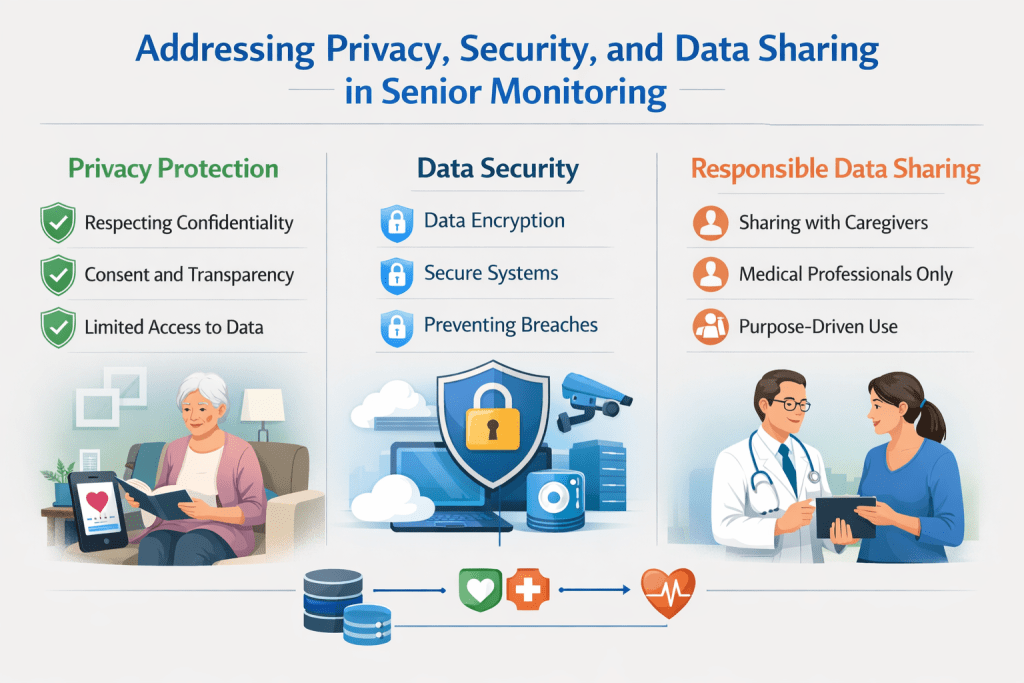
The information you share about your parent’s daily life feels deeply personal—it’s not just data, it’s their story. Protecting this sensitive information is as important as the safety benefits the technology provides.
Many families worry about who can access their loved one’s private details. Understanding privacy policies helps you make informed choices.
Compliance with Health and Safety Standards
Look for systems that follow strict health protection rules. HIPAA compliance means companies cannot sell your family’s medical information.
FDA-approved devices meet higher standards for seniors‘ wellbeing. These medical-grade options offer stronger privacy than consumer apps.
Best Practices for Secure Data Handling
Choose apps with clear privacy statements about data encryption. Set strong passwords and enable two-factor authentication for extra security.
Limit access to monitoring information within your family circle. Regularly review privacy settings as companies update their policies.
Have honest conversations with your loved one about what information is collected. This builds trust while respecting their autonomy. For families managing distance, a comprehensive long-distance caregiving checklist can help address these privacy concerns systematically.
Medical-grade monitoring solutions protect sensitive health data better than general consumer apps. This matters greatly for vulnerable seniors.
Reading the fine print in privacy policies ensures your family’s information stays secure. Reputable apps clearly explain how they handle data.
Conclusion
Your parent’s comfort and dignity matter just as much as their safety when considering support options for independent living. The right approach honors their autonomy while giving you genuine reassurance.
From discreet home sensors to GPS devices that provide location awareness, today’s technology offers thoughtful solutions. Each family can find what fits their unique situation and needs.
Remember that the goal isn’t perfect oversight—it’s creating a sustainable system that supports your loved one’s quality of life. The best tools enhance your relationship rather than replacing human connection.
As you move forward, know that millions of families share this journey. The AgeTech community continues developing better options every year. Start with small steps that feel right for your situation.
Whether you explore comprehensive emergency planning or simple daily connection tools, what matters most is finding balance. Your peace of mind and your parent’s independence can coexist beautifully.