


What if the simple act of a daily phone call could become a lifeline of safety and companionship for an older adult you love?
For millions of families, the worry is constant. You wonder if your parent is safe, if they’ve eaten, or if they could call for help in an emergency. This concern grows deeper when you know they struggle to hear the phone ring. Hearing challenges create invisible barriers, making daily connection feel difficult and leaving you feeling helpless from afar.
The good news is that modern solutions blend smart technology with genuine human care. Today’s support systems are designed with loud speakers, visual alerts, and features that work even when traditional hearing aids aren’t enough. They offer peace of mind while respecting your loved one’s cherished independence.
This guide explores practical options, from automated safety checks to warm, conversational services. We’ll show you how to create a reliable routine that fits their lifestyle and gives you the reassurance you need.
Key Takeaways
- Hearing challenges can make traditional phone check-ins difficult, increasing family worry.
- Modern solutions combine technology with human connection for effective daily support.
- Features like visual alerts and fall detection enhance safety for older adults.
- Services are available to fit different lifestyles and levels of independence.
- Establishing a consistent routine provides significant peace of mind for families.
Understanding Daily Check-In Needs for Seniors with Hearing Issues
The silence on the other end of the line can feel deafening when you’re trying to reach an aging parent. Is everything okay, or did they simply not hear the phone? This uncertainty is a heavy burden for families.
It’s about more than missed conversations. Auditory challenges can affect a person’s spatial awareness and balance, increasing the risk of a fall. They might not hear a smoke alarm or someone at the door.
Challenges in Communication and Hearing Loss
When communication becomes difficult, isolation can set in. This impacts mental health and overall quality of life. The challenge grows when other age-related changes are present.
Fine motor skills or memory concerns can make using technology frustrating. This is why a thoughtful approach is so important.
Safety and Independence Considerations
Many older adults face a tough choice. They can keep their independence but risk being unable to get help. Or, they can move to a supervised setting.
Understanding these layered needs is the first step. It helps families find a supportive daily check-in system for long-distance caregivers. The right solution respects dignity while providing genuine safety.
Key Benefits of check-in calls for seniors with hearing loss
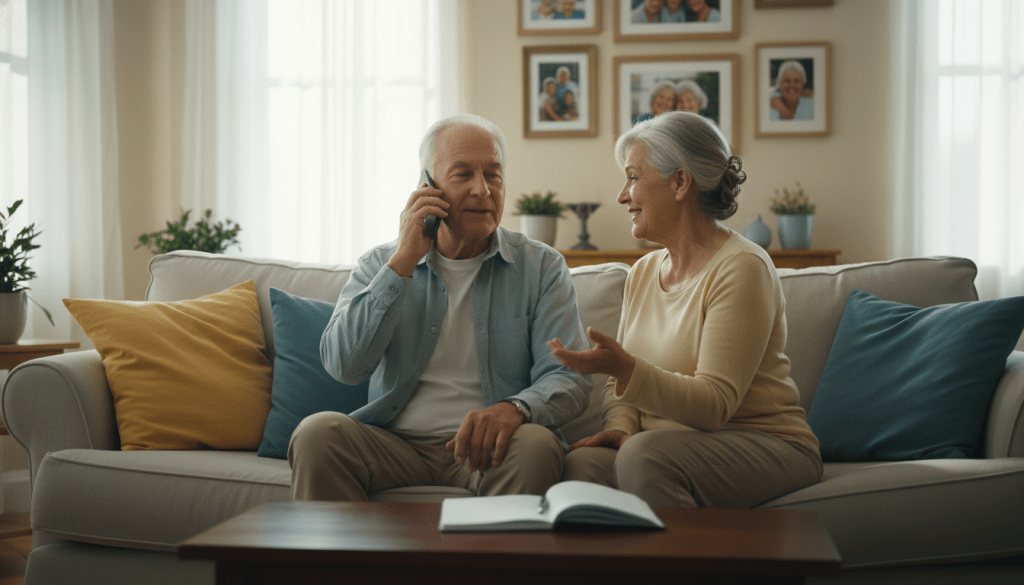
That familiar tightness in your chest when the phone rings and rings with no answer – it’s a feeling no family caregiver should have to face daily. Specialized connection services are designed to eliminate this uncertainty. They provide a structured safety net that respects independence while ensuring well-being.
Enhanced Safety and Immediate Support
These systems are built for persistence. If a connection isn’t made, the service doesn’t give up. It will try again, using methods like extra-loud rings or flashing lights to get attention.
This persistent approach is crucial for timely help. If repeated attempts fail, an automatic alert is sent to a list of designated contacts. This creates a rapid-response support circle for any emergency situation.
Peace of Mind for Families and Caregivers
The emotional weight lifted is immense. You gain confidence knowing a reliable system is in place. You are only notified if your attention is truly needed.
This reassurance allows adults to live independently with dignity. Families can focus on their day, free from constant worry. This balanced approach to care and safety fosters a better quality of life for everyone, supported by thoughtful communication services designed for seniors with hearing.
Overview of Medical Alert and Emergency Systems
When seconds count and hearing challenges create barriers, specialized emergency systems become essential lifelines. Modern medical alert technology has evolved significantly from basic panic buttons.
Today’s sophisticated safety networks are designed specifically to overcome communication barriers. They provide reliable protection while respecting independence.
Essential Features for Hearing Loss
The best alert systems combine multiple sensory signals. Loud adjustable speakers cater to varying levels of auditory need. Bright visual alerts like flashing lights provide clear visibility.
Vibration features offer crucial backup that doesn’t rely on hearing at all. Base units with status lights ensure visibility across rooms. Operators receive special training to communicate effectively.
Fall Detection and Alert Technology
Automatic fall detection has become a game-changer for safety. This technology senses sudden motion changes and impact patterns. It immediately connects to emergency services when a tumble occurs.
Testing shows response times under one minute matter enormously. Some systems respond in just 10-20 seconds. This rapid connection provides confidence that help will arrive promptly.
These advanced systems work through various connection methods. Some use landlines while others employ cellular technology. The most sophisticated options include GPS tracking for mobile individuals. Understanding these technology comparisons helps families choose the right protection.
Innovative Technologies Enhancing Senior Safety
Imagine technology that works quietly in the background, keeping watch without ever being intrusive. Today’s advanced safety solutions provide multiple layers of protection specifically designed for those facing hearing challenges.
Try JoyCalls Free
No app or new device needed. Start with a free 7-day trial.
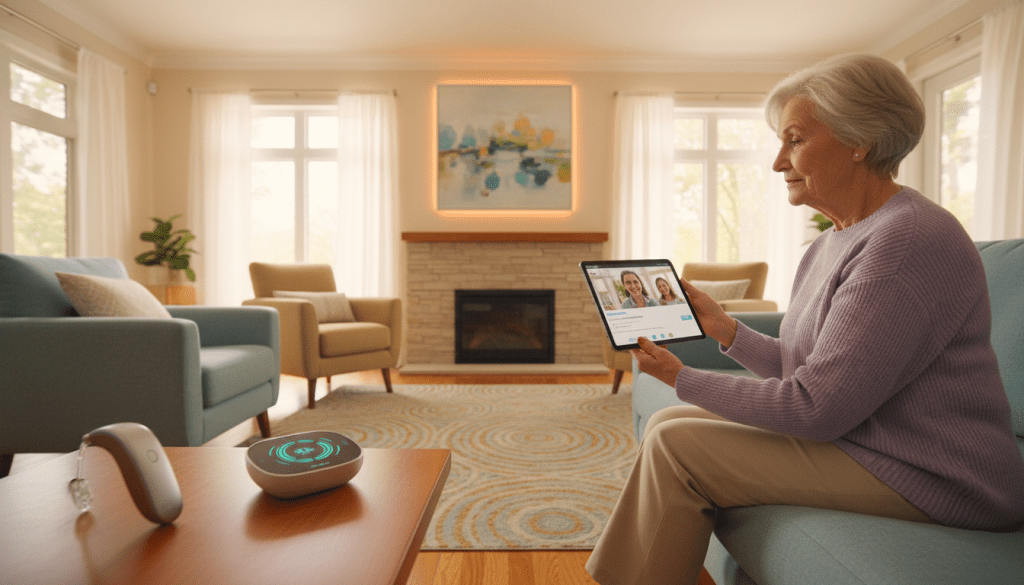
These modern systems go beyond basic alarms. They create a comprehensive safety net that respects independence while ensuring well-being.
Smart Devices and Mobile Alerts
Companies like ClearCaptions serve over 100,000 individuals with innovative emergency alert systems. These combine text-based notifications with bright flashing lights and extra-loud alarms.
Smart home sensors represent a quiet revolution in safety monitoring. They detect patterns in daily activities like water usage or refrigerator openings. This motion tracking provides valuable information without requiring any action from your loved one.
Mobile technology extends protection beyond the home. GPS-enabled devices allow active individuals to maintain independence while families receive alerts if they wander into unsafe areas.
Smartphone apps designed for caregivers provide real-time updates and location tracking. These applications turn your phone into a comprehensive monitoring system.
| Technology Type | Key Features | Primary Benefits |
|---|---|---|
| Smart Home Sensors | Motion detection, activity pattern analysis | Passive monitoring without user interaction |
| Mobile Alert Devices | GPS tracking, fall detection, emergency buttons | Safety coverage anywhere, rapid response |
| Caregiver Smartphone Apps | Real-time updates, location tracking, status reports | Comprehensive oversight from any location |
The beauty of these devices is their ability to work with or without hearing aids. They provide reliable safety through multiple sensory channels. This multi-layered approach represents significant progress in accessible telephone technology for those with hearing impairment.
Daily Check-In Services: Automated versus Human Interaction
Modern support options present a meaningful choice: consistent automated service or the warmth of human connection. Both approaches provide reliable safety monitoring while addressing different emotional needs.
Automated Call Check-In Platforms
Services like Verocall use advanced AI technology that feels surprisingly natural. These aren’t simple yes/no exchanges. The system remembers previous conversations and engages meaningfully.
For just $19 monthly, automated platforms offer affordable reliability. They’re programmed for patience – speaking clearly and waiting for responses. This thoughtful design creates a positive experience for users facing auditory challenges.
If contact isn’t made, the system automatically notifies designated emergency contacts. This safety net provides families with crucial information when it matters most.
Benefits of Human-Operated Call Services
Live operator services bring irreplaceable human warmth. Companies like Towne Monitoring ($99.95/month) and CareCheckers ($49.95-$59.95/month) employ trained professionals.
These operators develop genuine relationships over time. They notice subtle changes in mood or speech patterns that technology might miss. This personal touch can be particularly valuable for isolated individuals.
Many families find that AI companionship combined with human care creates the ideal balance. The right choice depends on your loved one’s personality and needs.
Whether you choose automated efficiency or personal connection, reliable alert systems provide essential peace of mind. Explore options like Jubilee TV’s comprehensive approach to find the perfect fit.
Essential Features for an Effective Check-In System
When choosing a support system, the quality of sound can mean the difference between clear communication and frustrating silence. The right features ensure your loved one can both hear and be heard, creating a reliable connection.

That moment of confusion when words are muffled or too quiet? It’s more than an inconvenience. It can undermine the entire safety net. Speaker clarity and adjustable volume are not just nice extras—they are fundamental.
Speaker Clarity and Volume Adjustments
Look for devices with volume controls that go beyond typical phone levels. Medical Guardian’s base unit, for example, has speakers loud enough to be heard across a room, even without hearing aids.
But loud isn’t enough if it’s not clear. Testing shows differences matter. Some systems, like Bay Alarm Medical’s, can sound slightly muffled. This affects the entire experience.
Visual confirmation is equally vital. Status lights that glow green provide nonverbal reassurance that the system is active. This is crucial when auditory cues are missed.
For those using hearing aids, compatibility ratings like M4/T4 (found on Lively’s Jitterbug phones) ensure seamless operation. This prevents interference and feedback, making conversations flow naturally. A positive communication experience can be a wonderful way to combat isolation, offering more than just safety but also meaningful conversation support.
What to Say During the Check-In: A Practical Daily Conversation Framework for Seniors With Hearing Issues
Choosing the right device or service is only one part of making daily check-ins easier. The other part is what actually happens once the call begins.
This is where many families struggle without realizing it.
A daughter may call faithfully every day, but the conversation still feels tiring. A son may ask all the right things, but the older adult still ends the call confused, overwhelmed, or emotionally flat. A caregiver may have the best intentions in the world, but if the check-in feels rushed, repetitive in the wrong way, or difficult to follow, the routine slowly loses its value.
For older adults with hearing issues, the success of a check-in often depends less on how much is said and more on how clearly, predictably, and respectfully the call is structured.
That matters because hearing challenges affect more than volume. Many seniors do not simply need louder speech. They need speech that is easier to follow. They may hear some words but miss others. They may catch the start of a sentence and lose the end. They may struggle more with fast transitions, overlapping topics, background noise, or broad questions that require too much mental sorting.
That means a check-in should not feel like a casual, unplanned conversation where the caller speaks however they normally speak. It should feel like a warm, natural interaction that has been designed to reduce effort.
And that is good for everyone involved.
When the check-in becomes easier to follow, the senior is more likely to answer accurately, stay engaged longer, feel less embarrassed about asking for repetition, and end the call with confidence rather than fatigue. The family member or caregiver also benefits because they get better information, experience less frustration, and can more easily notice when something sounds different than usual.
This is especially important in daily routines, where small communication mistakes can quietly build up over time. A missed question about food can hide low appetite. A confusing medication question can produce an unclear answer. A vague “How are you?” may tell you very little, even when the older adult needs help.
That is why families need more than a caring attitude. They need a communication framework.
This section gives you a practical one: how to open the call, how to ask useful questions, how to reduce hearing strain, how to respond when words are missed, and how to end the call in a way that leaves the senior reassured and oriented.
A good check-in should feel calm, not corrective
One of the biggest mistakes families make is turning the daily call into a performance review.
Did you take your medicine?
Did you eat?
Did you walk?
Did you call the doctor?
Did you remember what I told you yesterday?
Even when the intention is love, this can make a senior feel managed rather than supported. For someone already dealing with hearing issues, that dynamic becomes even harder. The older adult is trying to hear, trying to keep up, and also trying not to feel like they are failing the conversation.
A better check-in feels calm and collaborative.
That means the caller’s tone should communicate three things from the start:
- you are safe with me
- this call is simple
- we will take it one step at a time
Older adults with hearing challenges often do better when there is no pressure to respond quickly. Silence should not immediately be treated as a problem. Sometimes the senior is thinking. Sometimes they are processing what they heard. Sometimes they are adjusting the phone or hearing aid. If the caller jumps in too soon, the interaction begins to feel rushed.
Pacing is part of accessibility.
So before worrying about the exact script, start with the emotional quality of the call. A hearing-friendly check-in should feel steady, kind, and unrushed. It should sound like someone who has time. Even if the call is only five minutes long, it should not feel compressed.
Begin with orientation, not information
Most people instinctively begin a call with a question. But for seniors with hearing issues, it is usually better to begin with orientation.
That means telling them who is calling, what kind of call this is, and what to expect next.
For example:
“Hi Mom, it’s Rhea. I’m calling for our morning check-in.”
That is much easier to process than:
“Hi, did you have breakfast yet?”
The second version throws the senior directly into task mode before they have settled into the conversation. The first version gives context. Context makes listening easier.
A strong opening usually includes:
- the caller’s name
- the purpose of the call
- a brief cue about length or next step
For example:
“Hi Dad, it’s Arun. This is our evening check-in. I just want to go through a few quick things with you.”
This does not sound robotic. It sounds clear.
That clarity is especially useful if the senior has multiple calls from different people, is a little tired, or sometimes needs a moment to adjust to the sound of the voice.
Use a hearing check without making it awkward
Many check-ins assume that if the senior picked up the phone, hearing is fine. That is not always true.
The phone may be slightly far from the ear. A hearing aid may not be fitted comfortably. The room may be noisy. The senior may hear the voice but not clearly enough to process it comfortably.
So very early in the call, include a simple communication check.
Examples:
- “Can you hear me clearly enough?”
- “Should I speak a little slower today?”
- “Is this volume working for you?”
This does two things. First, it helps the conversation. Second, it gives the senior permission to say that communication needs adjusting.
That permission matters. Many older adults hesitate to admit they did not catch something because they do not want to interrupt, appear confused, or feel like a burden. A normal, built-in hearing check lowers that barrier.
Ask questions in the same order every day
Consistency is one of the most underrated accessibility tools.
Families often think variety makes a call feel more natural. In practice, for someone with hearing issues, too much variety can make the conversation harder to track.
It is often better to use the same broad order each day:
- safety
- physical basics
- medication or routine
- emotional well-being
- practical needs
- warm closing
When the order stays stable, the call becomes easier to predict. The senior begins to recognize the pattern. Even if they miss a few words, they often understand the topic because they know where they are in the routine.
That reduces listening effort dramatically.
A stable order also helps caregivers compare answers across days. It becomes easier to notice, for example, that appetite has dropped for three mornings in a row, or that energy has been “low” every evening this week.
Replace broad questions with specific ones
Broad questions often sound caring, but they are not always helpful.
“How are you feeling?”
“Did everything go okay today?”
“Is everything fine?”
These can be difficult for any person to answer well. For someone with hearing challenges, they are even harder because they require interpretation before response. The senior has to decide what part of “everything” they should address.
Specific questions are easier to hear, easier to understand, and easier to answer.
Instead of “How are you?” try:
- “Are you feeling okay right now?”
- “Is your energy good, okay, or low today?”
- “Did you sleep well enough last night?”
- “Have you eaten something since morning?”
Instead of “Do you need anything?” try:
- “Do you need help with food, medicine, transport, or nothing today?”
- “Would it help to have someone check in again later?”
- “Do you need anything picked up for you tomorrow?”
Specificity makes the call more useful without making it colder.
Keep one question to one topic
A common communication mistake is asking two or three things in one sentence.
For example:
“Did you sleep alright, take your medicine, and remember to drink water?”
That question sounds efficient to the caller, but it is difficult for the listener. If the senior misses one part, the whole thing becomes muddy.
For hearing-friendly communication, each question should contain one clear topic only.
Better version:
“Did you sleep alright last night?”
pause
“Did you take your morning medicine?”
pause
“Have you had water yet today?”
This creates a cleaner rhythm and produces clearer answers.
The pause matters too. Do not rush from one question into the next. A short pause gives the senior time to answer and gives you time to hear whether the answer sounds confident, uncertain, delayed, tired, or different than usual.
Use answer formats that reduce effort
Many seniors do better when the answer format is simple.
That does not mean treating them like children. It means reducing unnecessary communication strain.
The easiest response formats are:
- yes/no
- either/or
- three-choice scales
Examples:
- “Have you had breakfast yet?”
- “Are you more tired than usual, or about the same?”
- “Is your mood good, okay, or low today?”
- “Would you prefer I call again this afternoon or this evening?”
These question styles are useful because they lower the effort required to respond. They also reduce the chance that the caller will misinterpret a vague answer.
This is especially important if the senior is tired, distracted, or already using a lot of mental energy just to hear clearly.
Build the call around the most useful daily topics
Not every daily call needs to cover everything. But most check-ins become stronger when they consistently touch a few core areas.
1. Immediate safety
Start by confirming that the person is safe in the moment.
Examples:
- “Are you safe and comfortable right now?”
- “Are you okay where you are?”
- “Is anything bothering you at the moment?”
This establishes whether there is any urgent issue before moving into routine conversation.
2. Food and hydration
A surprising number of problems show up first in eating and drinking patterns. Low appetite, missed meals, dehydration, and low energy can all hide behind a simple “I’m okay.”
Ask directly:
- “Have you had breakfast?”
- “Did you drink some water this morning?”
- “Have you eaten anything since lunch?”
These questions are concrete and useful.
3. Medication or health routine
Medication adherence is often one of the main reasons families rely on daily check-ins.
Ask with calm clarity:
- “Did you take your morning medicine?”
- “Is there any confusion about today’s medication?”
- “Do you need a refill or reminder for anything?”
Avoid loaded or suspicious phrasing. The goal is support, not catching the person making a mistake.
4. Energy, comfort, or pain
You do not need an exhaustive health interview every day, but one simple question about how the body feels can help you detect patterns.
Examples:
- “How is your energy today: good, okay, or low?”
- “Are you more uncomfortable than usual?”
- “Is anything hurting today?”
5. Emotional state
Loneliness, low mood, frustration, and discouragement often do not show up unless someone asks simply and gently.
Examples:
- “How has your mood been today?”
- “Have you felt mostly okay, or a little down?”
- “Has today felt easy, normal, or heavy?”
These should be asked without drama. Calm questions are easier to answer honestly.
6. One practical need
End the core section with one action-oriented question.
Examples:
- “Do you need help with anything today?”
- “Is there anything you want me to arrange?”
- “Would it help to have a second call later?”
This keeps the routine grounded in real support.
Add one relational question so the call does not feel clinical
A daily check-in should not sound like a checklist read aloud by a machine.
Even if the structure is practical, it should still include one small point of real connection.
This matters because older adults do not only need safety. They also need recognition, companionship, and dignity. A check-in that only tracks tasks may gradually feel impersonal.
Add one gentle, human prompt such as:
- “What was the nicest part of your day so far?”
- “Did anything pleasant happen today?”
- “What are you planning to do after this call?”
- “What are you looking forward to tomorrow?”
These questions create warmth without requiring a long, tiring conversation. They remind the senior that they are not just being monitored. They are being cared for.
What to do when they say “What?” or answer incorrectly
This is where the tone of the caller matters most.
If the senior misses a question, do not simply repeat the exact same sentence at the same speed with more volume. That is often not enough.
Use a three-step response.
Step 1: Pause and reset
Give a second of space rather than reacting immediately.
Step 2: Shorten the sentence
If the original question was long, simplify it.
Instead of:
“I was asking whether you have been able to drink enough water today since it’s been warm.”
Say:
“Let me ask it more simply. Have you had water today?”
Step 3: Offer an easy answer path
If needed, reduce the response format.
“Yes or no: have you had water today?”
This method protects clarity without making the senior feel blamed.
Avoid phrases that sound impatient, such as:
- “No, that’s not what I said”
- “You’re not listening”
- “I already asked you that”
- “Never mind”
These responses create embarrassment quickly and can make the rest of the call harder.
Slow the transitions between topics
Another subtle challenge in hearing-friendly communication is topic shifting.
The caller may move naturally from food to appointments to mood to medication, but the senior may still be processing the first question. Fast topic changes create strain.
Instead, signal the transition.
Examples:
- “Now I want to ask about your medicine.”
- “Next, just one question about meals.”
- “Before we finish, I want to check whether you need anything.”
These small signposts make the conversation easier to follow. They work especially well in daily check-ins because repetition builds familiarity.
End with a short recap and next step
A strong ending is just as important as a strong opening.
Do not end with a vague “Okay, bye.” Give the senior a short summary and orientation to what happens next.
For example:
“Great, I’m glad you had breakfast and took your medicine. I’ll call again this evening around 7. If anything feels wrong before then, please call me.”
This closing does several helpful things:
- confirms what was understood
- reassures the senior that the call went well
- creates predictability
- reminds them they are still supported after the call ends
For seniors with hearing issues, predictability lowers stress. Knowing when the next call will happen can be deeply reassuring.
A sample daily script families can adapt
Below is a simple version that families can personalize.
Morning check-in
“Hi Mom, it’s Neha. I’m calling for our morning check-in.”
“Can you hear me clearly enough?”
“Are you feeling safe and okay right now?”
“Did you sleep alright last night?”
“Did you take your morning medicine?”
“Have you had water and breakfast yet?”
“How is your energy today: good, okay, or low?”
“Do you need help with anything today?”
“What is one thing you plan to do this afternoon?”
“Alright. I’ll call again this evening around 6.”
Evening check-in
“Hi Mom, it’s Neha again for our evening call.”
“Is this sound okay for you?”
“How has the day been: good, okay, or difficult?”
“Did you eat dinner or at least have a snack?”
“Has anything felt uncomfortable or unusual today?”
“Is everything ready for the night?”
“What was the nicest part of your day?”
“Good. Rest well, and I’ll speak with you tomorrow morning.”
This format works because it is predictable, short, respectful, and easy to follow.
Practical habits that make the framework work even better
The script helps, but the habits around it matter too.
Call at roughly the same time
A regular time makes the call easier to expect and prepare for.
Use the same phrases for important topics
Do not ask about medication five different ways every week. Pick one wording and keep it.
Reduce background noise on your own end too
The caller’s environment matters just as much. Do not make check-in calls from traffic, busy kitchens, or loud public spaces if possible.
Do not multitask during the call
If you are distracted, your pacing changes and your tone becomes less attentive. Seniors can feel that quickly.
Notice patterns, not just single answers
If appetite is low three days in a row, that may matter more than one isolated “not hungry.”
Keep notes if several people share the routine
If siblings or caregivers take turns calling, shared notes help everyone follow the same structure and watch the same patterns.
The real goal of the call
At its best, a daily check-in is not just about proving that someone answered the phone. It is about creating a daily moment of safety, clarity, and human reassurance.
For seniors with hearing issues, that moment should never feel like a test they have to pass. It should feel like a simple conversation designed with their comfort in mind.
When the call becomes easier to hear, easier to answer, and easier to trust, it does more than gather information. It preserves dignity. It reduces loneliness. It helps families respond earlier when something changes. And it turns a basic daily call into something much more valuable: a reliable point of connection that supports both independence and care.
Ensuring Rapid Response and Reliable Assistance
Behind every reliable safety system lies rigorous testing that ensures prompt assistance when it matters most. The difference between a 10-second response and a 60-second wait can be life-changing during an emergency.
Testing and Evaluating Response Times
Comprehensive testing reveals which systems truly deliver. After over 100 hours of evaluation, clear patterns emerged. The best performers connect users to live operators in under 20 seconds.
This rapid connection is especially vital for those facing hearing challenges. Quick response reduces anxiety and ensures clear communication. Every second counts when someone needs help.
| Safety System | Average Response Time | Key Feature |
|---|---|---|
| Lively Mobile2 | 10 seconds | Fastest connection |
| Medical Guardian | 15 seconds | Consistent performance |
| Bay Alarm Medical | 20 seconds | Reliable service |
| Jitterbug phones | 20 seconds | User-friendly design |
Automatic fall detection adds another layer of protection. Quality systems recognize genuine falls within 30-45 seconds. They then initiate emergency calls without any button press.
This testing experience shows that U.S.-based monitoring centers provide the most consistent response. They understand local emergency services and can coordinate help effectively. This reliability gives families confidence in their daily phone check-ins for seniors.
Leveraging JoyCalls for Easy Signup and Daily Check-Ins
What if your parent could receive daily companionship without ever touching a screen or learning new devices? JoyCalls makes this possible by working with the technology they already know—their regular telephone.

This innovative service combines intelligent conversation with reliable safety monitoring. It provides meaningful interaction while ensuring well-being.
How to Get Started with JoyCalls
Getting started takes just minutes. Visit the JoyCalls signup page and enter basic information.
Choose preferred call times that fit your loved one’s routine. The service begins making friendly daily calls to their existing phone.
No special equipment or downloads are required. This eliminates technological barriers that often frustrate older adults.
Features and User Support Offered by JoyCalls
The AI companion engages in genuine conversations about topics your parent enjoys. It remembers details from previous chats, creating continuity.
Caregivers receive conversation summaries and immediate alerts if concerns arise. This provides comprehensive oversight without constant worry.
The system adapts to individual needs through customizable schedules and preferences. This personalized approach ensures high-quality communication for every user.
JoyCalls represents a thoughtful way to support independence while maintaining connection. It bridges the gap between safety needs and meaningful daily interaction.
Choosing the Right System for Your Lifestyle and Budget
The decision between different safety systems becomes much clearer when you focus on two key factors: daily lifestyle and monthly budget. Start by honestly assessing your parent’s routine and needs.
Does your loved one mostly stay home? Are they active and mobile? Consistent use of hearing aids matters too. These questions guide you toward the right protection level.
Comparing Pricing and Service Features
Budget considerations feel overwhelming when you’re worried about safety. But remember the true comparison. These systems cost $25-100 monthly. Assisted living can run $3,000-6,000.
Basic plans start around $25-30 monthly. They offer essential emergency response. Perfect for active individuals with mild hearing challenges.
“The right features shouldn’t break the bank, but they should break the cycle of worry.”
Mid-range options ($40-60) add crucial features like fall detection. This technology senses tumbles automatically. It’s vital for those with balance concerns.
| Provider | Monthly Range | Key Feature |
|---|---|---|
| Bay Alarm Medical | $27.95-$64.95 | Flexible plans |
| Medical Guardian | $31.95-$46.95 | Consistent service |
| Lively Mobile2 | $24.99-$34.99 | Mobile protection |
Premium systems ($60-100) include advanced detection and hearing aid compatibility. Compare all options using trusted resources like the best medical alert systems guide.
Factor in one-time equipment fees too. The true cost includes everything. This ensures no surprises and complete peace of mind.
Integrating Hearing Aid Compatibility in Daily Safety Routines
Compatibility between hearing support and safety systems isn’t just technical—it’s about building confidence through consistency. When devices work together seamlessly, they become trusted partners rather than sources of frustration.

The right pairing ensures both tools get used regularly. This creates a powerful routine that supports both safety and cognitive health.
Device Pairing and Compatibility Options
Understanding compatibility ratings makes selection easier. Look for M and T numbers when choosing equipment.
| Compatibility Rating | Performance Level | User Experience |
|---|---|---|
| M4/T4 (Gold Standard) | No interference or feedback | Seamless operation |
| M3/T4 (Very Good) | Minimal interference | Comfortable daily use |
| Lower Ratings | Potential buzzing issues | May cause device abandonment |
Lively’s Jitterbug phones demonstrate excellent integration. The Flip2 model offers M4/T4 rating—the highest available. This means clear sound without annoying feedback.
Bluetooth connectivity adds another layer of convenience. Modern hearing aids can pair directly with smartphones and alert systems. Emergency notifications deliver directly to the ear with perfect clarity.
Consistent use of hearing aids shows remarkable benefits. Research indicates it may reduce dementia risk. Combined with daily safety routines, this creates comprehensive protection for both physical and mental well-being.
Over-the-counter options make quality hearing support more accessible. Affordable solutions mean more people can address auditory challenges while maintaining reliable safety monitoring.
Additional Safety Solutions for Seniors with Hearing Loss
Sometimes the most reliable safety net comes not from technology you buy, but from community programs that already exist around you. These options provide essential support specifically designed for older adults facing auditory challenges.
Emergency Contacts and Community Support Programs
Many sheriff’s departments offer free automated reassurance programs. If calls go unanswered after multiple attempts, a deputy performs an actual wellness check. This provides government-backed reliability without monthly fees.
State programs like Maryland’s Senior Call Check deliver daily messages during daytime hours. Volunteer organizations connect isolated individuals with caring community members for weekly companionship.
Smart home monitoring systems take a different approach. They use motion sensors to track activity patterns and alert caregivers if something seems unusual. This works well for those who find conversations frustrating.
Building a layered network makes sense. Combine free programs with paid services and volunteer support. This creates comprehensive coverage that respects independence while ensuring well-being.
Emergency contact lists should include multiple people at different numbers. Include neighbors who can physically check on your loved one. Clear instructions about auditory needs help first responders provide appropriate assistance.
Build a Hearing-Friendly Check-In System That Seniors Can Actually Stick To
A daily check-in routine sounds simple on paper. In real life, it often breaks down for a very human reason: the routine is designed around what the caller wants to say, not around what the senior can comfortably hear, process, and respond to.
That difference matters more than people think.
For seniors with hearing issues, a check-in is not just a conversation. It is a communication task with extra effort built into it. They may be trying to catch words they missed, fill in blanks, manage background noise, remember the question, and answer before the other person moves on. Even loving family members can accidentally make this harder by speaking too fast, calling at unpredictable times, changing topics quickly, or asking broad questions like “How are you?” that are difficult to answer clearly.
A better approach is to stop treating check-ins like casual calls and start treating them like a repeatable, low-stress system. That does not mean making the interaction robotic. It means making it easier. A good hearing-friendly check-in system reduces confusion, lowers fatigue, helps seniors feel more confident, and gives caregivers more useful information without turning the call into an interrogation.
The goal is not perfection. The goal is consistency, comfort, and clarity.
Why many check-in routines fail even when families care deeply
Most families do not fail because they are careless. They fail because they rely on good intentions instead of a structure.
One day the call comes at 9 a.m. The next day it comes at noon. One caller asks about medication. Another talks mostly about appointments. Someone else checks in only when they remember. The senior never knows what to expect. That unpredictability creates friction, especially for someone who already has trouble hearing or processing speech.
There is another issue too: many check-ins are too open-ended.
Questions like these are common:
- Did you do everything you needed to do today?
- Are you feeling okay?
- Is everything fine?
- Do you need anything?
These sound caring, but they are not always useful. They are vague. They invite short answers. They can also put pressure on the senior to say “I’m fine” just to move the conversation along.
For a person with hearing difficulty, vague questions are even more tiring because they require more interpretation. By the time they figure out what was asked, the moment has passed.
A strategic check-in routine uses a different method. It is built around:
- predictable timing
- familiar phrasing
- short question groups
- easy yes/no or simple-choice responses
- one clear purpose per part of the call
- a calm backup plan when something is missed
This kind of routine respects the senior’s energy. It also helps loved ones notice small changes sooner.
Start with one simple rule: make the call easy to follow
Before you decide what to ask, decide how the call should feel.
For seniors with hearing issues, the best check-ins usually feel:
- calm, not rushed
- warm, not clinical
- structured, not chaotic
- repetitive in a helpful way, not repetitive in an irritating way
That last point is important. Many adults are taught that repeating yourself is bad communication. In hearing-friendly care communication, repetition is often a gift. Familiar openings, familiar question order, and familiar closing phrases reduce listening effort. The senior starts to know what comes next. That lowers stress and improves understanding.
You do not need to make every call different. In fact, making every call different often makes the experience worse.
A strong routine gives the senior a rhythm they can rely on.
The best check-in format: a five-part call flow
A practical daily check-in works best when it follows the same broad structure each time. This is not about reading from a script word for word. It is about creating a dependable flow.
1. The comfort opening
The first 20 to 30 seconds should help the senior settle into the call.
Do not begin with a fast question. Start with identity and comfort.
Try something like:
“Hi Mom, it’s Anita. This is our morning check-in. Is this a good time to talk for a few minutes?”
This does three useful things at once. It identifies the caller clearly, tells the senior what kind of call this is, and prepares them for a short conversation.
That is far better than starting with:
“Hi, can you hear me? Did you take your medicine?”
Even if your relationship is close, beginning gently creates orientation. It also helps seniors who may need an extra moment to adjust to the voice, volume, or topic.
2. The hearing check
Many families forget this step. They assume that if the senior answered the phone, hearing is fine. But hearing quality can change from moment to moment depending on device placement, background noise, hearing aid use, fatigue, or even how alert the person feels.
Ask one quick question that checks communication quality without making it awkward.
Examples:
“Can you hear me clearly enough, or should I speak slower?”
“Is the sound okay on your end?”
“Would you like me to repeat anything more slowly today?”
This step normalizes adjustment. It tells the senior that it is okay to ask for help.
3. The core wellness questions
This is the heart of the routine. Keep it short. Keep the order consistent. Keep the wording simple.
A strong daily set usually covers:
- physical safety
- medication or health routine
- meals and hydration
- emotional state
- one practical need
Example flow:
“Are you feeling safe and okay right now?”
“Did you take your morning medicine?”
“Have you had water and something to eat yet?”
“How is your energy today: good, okay, or low?”
“Is there anything you need help with today?”
Notice the pattern. Each question is direct. Each question covers one topic only. There are no double questions like, “Did you sleep well and take your medicine and eat breakfast?” Multiple-part questions create confusion and bad data.
4. The connection moment
If the whole call is only functional, it can start to feel transactional. Seniors do not want to feel managed. They want to feel respected and connected.
After the core check, include one short relational prompt:
- “What has been the best part of your morning so far?”
- “Did anything pleasant happen today?”
- “What are you planning to do after this call?”
- “Would you like to tell me one thing you are looking forward to?”
This small moment matters. It shifts the call from monitoring to companionship.
5. The clear close
Never end abruptly. End with a summary and next step.
For example:
“Great, I’m glad you ate breakfast and took your medicine. I’ll call again this evening around 7. If you need anything before then, call me.”
This reassures the senior that the call had a purpose and that someone is still connected to them after it ends.
How to choose the right time for a hearing-friendly check-in

Timing is not a small detail. It can make or break the routine.
A check-in should happen when the senior is most likely to be:
- awake and mentally alert
- not overwhelmed by household noise
- not in the middle of a care task
- not struggling with hearing-device setup
- emotionally open to conversation
For many seniors, the ideal time is not necessarily early morning. Some need more time to wake up, get oriented, put in hearing aids, or complete bathroom and dressing routines before they can comfortably engage.
Others do better before evening fatigue sets in.
The only way to get this right is to think in terms of energy windows, not just convenience.
Ask:
- When does the senior usually sound most clear and relaxed?
- When are hearing aids usually in place and working well?
- When is the home quieter?
- When does the call feel least rushed?
Then stick with that time as closely as possible.
Consistency matters because it creates anticipatory readiness. The senior begins to expect the call, which means they are more likely to have the phone nearby, settle into a quieter environment, and be mentally ready to listen.
Make the environment work for the conversation
Families often focus only on what is said. But hearing-friendly communication also depends heavily on the setting.
If the senior is on speakerphone with the television blaring, even the most caring conversation will become frustrating. The environment has to help the conversation, not compete with it.
Encourage a simple pre-call setup:
- lower or mute the TV
- move away from running water, kitchen noise, or street-facing windows
- sit in the same chair if that chair is usually comfortable
- keep glasses and hearing aids on if used
- hold the phone in the way that works best for them every time
If the senior lives alone, it may help to create a “call spot” in the home. This is just one comfortable place where check-ins usually happen. Familiar positioning reduces scrambling and confusion.
If a caregiver or family member is with the senior in person, they can support without taking over. They can help reduce background noise, check device placement, or repeat a question more slowly if needed.
Use a “same words, same order” method
One of the most practical strategies for seniors with hearing issues is something simple: reuse successful phrasing.
Families often think variety makes conversations feel more natural. In a hearing-sensitive check-in, too much variation increases listening effort.
For example, do not ask medication in five different ways across the week:
- Did you take your pills?
- Are your meds done?
- Did you remember your medicine?
- Did you get your tablets in?
- Have you done your morning health routine?
Choose one familiar phrase and keep it.
For example:
“Did you take your morning medicine?”
The same applies to meals, hydration, safety, and emotional check-ins.
This consistency helps seniors recognize the question sooner, even if they do not catch every word. Their brain starts predicting the pattern. That reduces fatigue and improves accuracy.
Ask questions that are easier to answer

Good check-ins are not just about easy listening. They are also about easy responding.
A senior with hearing loss may become overwhelmed by broad questions, but may do very well with simple response formats.
Use:
- yes/no questions
- either/or questions
- rating questions with just three choices
- one-topic-at-a-time questions
Examples:
“Have you eaten lunch yet?”
“Are you feeling more tired or about the same as yesterday?”
“Is your mood good, okay, or low today?”
“Do you need groceries, medication help, or nothing today?”
These are much easier than:
“So how are things going today with your meals and everything else?”
The more specific the question, the more likely you are to get a real answer.
What to do when the senior misses part of the call
This is where many conversations go wrong. The caller repeats the same sentence at the same speed and volume, just louder. That is not always helpful.
A better response has three steps:
First, pause
Do not rush to fill the silence. Give the senior a second to process.
Second, repeat more clearly, not just more loudly
Shorten the sentence.
Instead of:
“I was asking whether you had enough to eat this morning before taking your medication.”
Say:
“Let me say that again. Did you eat breakfast today?”
Third, offer a simple answer format
If needed, make it even easier:
“Yes or no: did you eat breakfast?”
This keeps dignity intact while reducing pressure.
Avoid sounding irritated, even unintentionally. Hearing effort is exhausting. What sounds like hesitation may actually be concentration.
Build in a weekly review so the routine keeps working
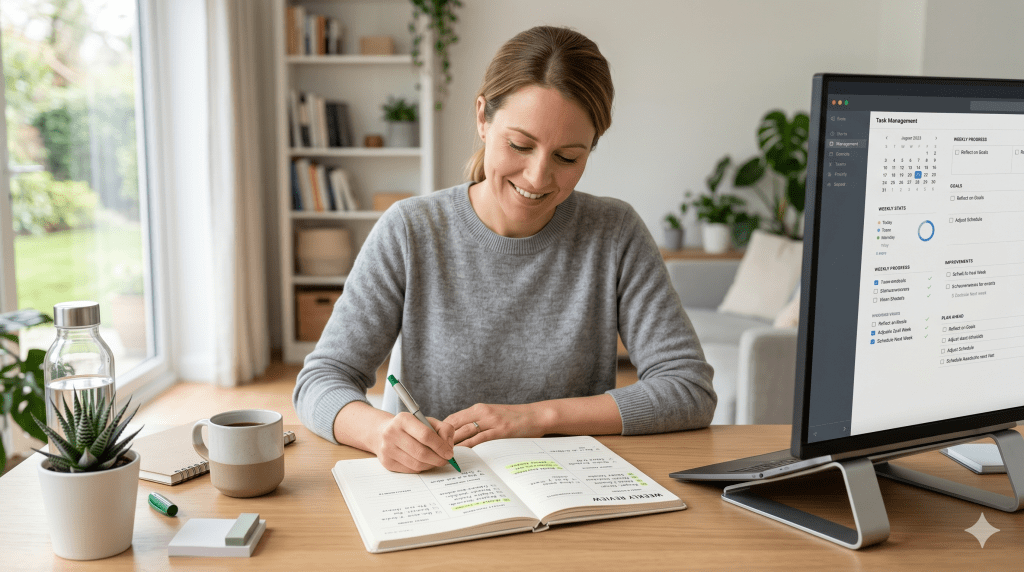
A daily routine should not be left untouched forever. Small issues build up quietly.
Once a week, take five minutes to review:
- Was the timing good?
- Were there frequent misunderstandings?
- Did the senior seem rushed or tired?
- Which questions got useful answers?
- Which questions caused confusion?
- Did any pattern show up in mood, appetite, sleep, or engagement?
You do not need a formal spreadsheet unless you want one. Even a simple note on your phone is enough.
The reason this matters is that communication challenges often change gradually. A routine that worked three months ago may now need slower pacing, shorter calls, or a different time of day.
A weekly review keeps the system responsive instead of rigid.
Create a gentle escalation plan for “something seems off”
Not every concern is an emergency, but families need a calm plan for when a call feels different.
Maybe the senior sounds unusually confused. Maybe they keep missing familiar questions. Maybe they report dizziness, skipped meals, unusual sadness, or trouble hearing even with normal setup.
Do not wait until you are worried enough to panic. Decide in advance what “off” looks like and what happens next.
A practical escalation plan could look like this:
- first sign: ask one extra clarifying question
- second sign: arrange a second check-in later that day
- third sign: notify a nearby family member, neighbor, or caregiver
- urgent safety concern: follow the family’s emergency plan immediately
This plan protects both the senior and the caregiver. It prevents overreaction to minor issues and underreaction to important changes.
Keep the senior involved in shaping the routine

A routine works better when the older adult feels it is being built with them, not imposed on them.
Even if help is needed, seniors still want agency. That matters for dignity, trust, and long-term cooperation.
Ask them:
- What time feels best for these calls?
- Do you like short check-ins or slightly longer ones?
- Which questions feel helpful?
- What makes calls hard to hear?
- What would make this easier for you?
Sometimes the best insight is simple. They may tell you they hear better after breakfast. Or that the television in the other room makes every call frustrating. Or that they dislike being asked the same emotional question every day but are fine with a practical routine.
When seniors help shape the system, resistance often drops.
A sample hearing-friendly routine families can adapt
Here is a clean example of what a daily check-in can look like in practice:
Morning check-in
“Hi Dad, it’s Meera. This is our morning check-in. Is now a good time for a few minutes?”
“Can you hear me clearly, or should I slow down?”
“Are you feeling safe and okay right now?”
“Did you take your morning medicine?”
“Have you had water and breakfast?”
“How is your energy today: good, okay, or low?”
“Do you need help with anything today?”
“What is one thing you plan to do today?”
“Perfect. I’ll call again this evening around 6.”
Evening check-in
“Hi Dad, it’s Meera again for our evening check-in.”
“Can you hear me well?”
“How did the day go overall: good, okay, or difficult?”
“Did you eat dinner or have a snack?”
“Did anything feel uncomfortable or unusual today?”
“Is everything ready for the night?”
“What was the best part of your day?”
“Okay, rest well. I’ll check in tomorrow morning.”
This works because it is short, kind, predictable, and useful.
The most important mindset shift: easier is better

Families sometimes believe a “good” check-in must cover everything. It does not.
A good check-in is one the senior can comfortably hear, follow, and respond to without feeling tired, managed, or embarrassed.
That means a shorter call done well is often better than a longer call done inconsistently.
It means familiar wording is often better than creative wording.
It means clarity is better than speed.
It means one calm daily rhythm is better than random bursts of concern.
Most of all, it means the routine should reduce effort for the senior, not add to it.
When you build the check-in around their listening reality instead of your speaking habits, everything improves. The conversation becomes more respectful. The answers become more reliable. The senior feels more secure. And the family gets something they can actually sustain.
That is what a useful check-in routine should do.
Conclusion
Imagine ending each day knowing your loved one is safe, connected, and enjoying their independence with dignity.
Creating a reliable routine isn’t just about preventing emergencies. It’s about giving both of you the gift of peace of mind. Modern technology adapts to hearing challenges rather than being defeated by them.
Whether you choose a medical alert system with fall detection or a companion service like JoyCalls, the important thing is starting today. These solutions honor independence while ensuring safety.
Remember that reducing fall risk is part of comprehensive care. JoyCalls makes it easy to begin—just visit their signup page to start transforming worry into confidence.
The improved quality of life benefits everyone. Your parent maintains their cherished routine. You reclaim mental space currently filled with concern.
Don’t wait another week with that knot of worry. The right support system is ready to make both your lives safer and more connected starting now.
FAQ
How can a daily check-in service help my parent who has trouble hearing?
What if my mom or dad can’t hear the phone ring?
Are these systems compatible with hearing aids?
How does automatic fall detection work for someone with hearing loss?
What’s the difference between an automated call service and a human caller?
What features are most important for someone with hearing challenges?

Ana Avila, PhD, is a healthcare and technology writer with deep expertise in artificial intelligence, senior care innovation, and the practical use of AI in healthcare operations. Her work focuses on how emerging technologies can improve the daily experience of older adults, support overburdened care teams, and help senior living communities deliver safer, faster, and more personalized support.
Dr. Avila’s academic background is rooted in health informatics, aging care systems, and applied artificial intelligence. Her doctoral work focused on how digital health tools, predictive analytics, and AI-assisted communication systems can be used to improve care coordination, reduce operational delays, and identify early signs of risk among older adults. Her training gives her a rare ability to understand both the technical side of AI and the human realities of healthcare delivery.
Over the years, Ana has developed a specialized body of work around AI in senior living. She writes about how senior care providers can use intelligent systems to manage resident requests, answer routine questions, support family communication, improve after-hours coverage, and detect patterns that may indicate loneliness, confusion, distress, or unmet needs. Her articles often examine the gap between what senior living teams are expected to deliver and what traditional staffing models can realistically support.
Ana’s healthcare expertise is especially focused on the operational side of care. She has written extensively about call handling, resident engagement, front desk workflows, triage systems, caregiver communication, care escalation, and the hidden administrative burden placed on senior living staff. Her work explains how AI can help reduce repetitive tasks, organize incoming requests, prioritize urgent issues, and give human caregivers more time for meaningful resident interaction.
At the same time, Ana is careful not to present AI as a replacement for human care. A consistent theme in her writing is that technology should support relationships, not weaken them. She argues that the best AI systems in healthcare are not the ones that simply automate the most tasks, but the ones that make care teams more responsive, families more informed, and residents more supported. Her perspective is grounded in the belief that senior living technology must be designed around dignity, trust, privacy, and compassion.
Ana has also written widely on the ethical use of AI in healthcare. Her work discusses the importance of human oversight, transparent escalation rules, resident consent, data minimization, and responsible use of sensitive health and behavioral information. She often emphasizes that AI systems used around older adults must be easy to understand, carefully monitored, and designed with the limitations and needs of real residents in mind, including those with memory loss, hearing challenges, mobility issues, or social isolation.
Her writing has been used as a reference point in discussions about aging, elder care technology, digital health, and AI-supported senior living. Some of her articles have also been cited by Wikipedia editors as supporting references on topics related to healthcare, aging, and technology. This has helped position her work as a useful educational resource for readers looking to understand how AI can be applied in real care environments.
In addition to her long-form writing, Ana has contributed research-based commentary, professional explainers, and practical guidance for healthcare operators, senior living decision-makers, and technology teams building products for older adults. Her work combines research literacy with operational practicality. She is able to take complex subjects such as natural language processing, predictive analytics, conversational AI, and care automation, and explain them in a way that is accessible to executives, caregivers, families, and non-technical readers.
Ana’s strongest area of expertise is the intersection of artificial intelligence and senior living operations. She understands that senior care communities face a difficult combination of rising resident expectations, staffing pressure, family communication demands, and increasing care complexity. Her writing explores how AI can be used to ease those pressures through smarter communication systems, faster response workflows, proactive check-ins, and better visibility into resident needs.
Her approach is both evidence-informed and deeply human. She studies AI through the lens of real-world care delivery: whether a resident gets help faster, whether a family member receives a clearer update, whether a caregiver avoids unnecessary administrative work, and whether a senior living team can identify a concern before it becomes a crisis. This practical focus makes her work especially relevant for organizations that want to adopt AI responsibly rather than simply follow technology trends.
Ana Avila is regarded as a thoughtful voice on the future of AI in healthcare and senior living. Her expertise combines academic training, research-driven analysis, operational understanding, and a strong commitment to humane technology. Through her writing, she helps healthcare leaders and senior living communities understand not only what AI can do, but how it should be used to improve care, preserve dignity, and strengthen the human relationships at the center of aging support.