
Sarah’s phone buzzed at 2:37 AM. Her heart dropped. It was her mom. “I just tripped over the rug, honey. I’m okay, but my wrist hurts.” That call, and the frantic drive across town, changed everything. Sarah realized her fiercely independent mother wasn’t just “fine” living alone.

If you’ve felt that 3 AM worry, you’re not alone. This guide is for you. We understand the delicate balance between respecting a parent’s independence and ensuring their well-being. You need solutions that are simple, reliable, and don’t require a tech degree to operate.

We focus on straightforward tools that provide immediate help. These options offer a direct connection to assistance with the press of a button. Our goal is to give you confidence and your loved one the freedom to live life on their terms.

According to recent data, many families seek help only after a scare. The CDC notes that falls are a significant concern for older adults. Being prepared beforehand is the key to true peace of mind.

Key Takeaways

  • Simple, reliable tools can provide immediate help without complex technology.
  • Many families seek solutions after experiencing a fall or medical emergency.
  • Effective options respect independence while offering protection.
  • The right choice provides reassurance to both the older adult and their family.
  • We’ve researched the best options available to save you time and stress.
  • Solutions exist for every lifestyle and budget.

Understanding Low-Tech Senior Safety Devices

David kept his phone volume on maximum, even during meetings, after his mother’s last scare. That constant worry doesn’t have to be your reality. Simple tools exist that bridge the gap between independence and security.

Defining the Basics

When we talk about straightforward protection tools, we mean options your parent can actually use. No complex technology to master. No apps to update or passwords to remember.

The beauty lies in their reliability. These solutions don’t depend on Wi-Fi connections or daily smartphone charging. They work with a simple press of a button.

Core Components and Functions

The main piece is usually a wearable help button. It connects to a base unit in the home. When activated, it immediately contacts a professional monitoring center.

Trained staff can hear what’s happening through two-way speakers. They assess the situation and dispatch help if needed. This happens within seconds of pressing the button.

This direct connection provides peace of mind. Your loved one gets assistance without fumbling for a phone during an emergency. The entire system is designed for one purpose: getting help fast when it matters most.

What Are Low-Tech Senior Safety Devices?

After her aunt’s fall, Rebecca realized that complex technology wasn’t the answer—simplicity was what truly mattered. She needed a solution her aunt could actually use without frustration or confusion.

These straightforward medical alert systems are designed with one purpose: immediate connection to help. Unlike smartwatches that require charging and app updates, these systems work right out of the box.

The classic example is a pendant or wristband with a single button. When pressed, it connects directly to trained professionals available 24/7. This direct line eliminates the stress of finding a phone during an emergency.

What makes these options accessible isn’t outdated technology—it’s intentional design. They prioritize reliability over fancy features that might overwhelm. The entire system focuses on removing barriers to emergency assistance.

Some medical alert systems use landline connections, while others operate on cellular networks. Both options share the same goal: creating a lifeline that feels natural and unintimidating to use daily.

When choosing a device, consider whether your loved one will actually wear it consistently. The best alert system is one that becomes a comfortable part of their routine, providing peace of mind without complication.

Key Features to Consider When Buying

When Lisa started researching protection tools for her father, she quickly realized the choices were overwhelming. The right selection comes down to a few key factors that make all the difference in daily use.

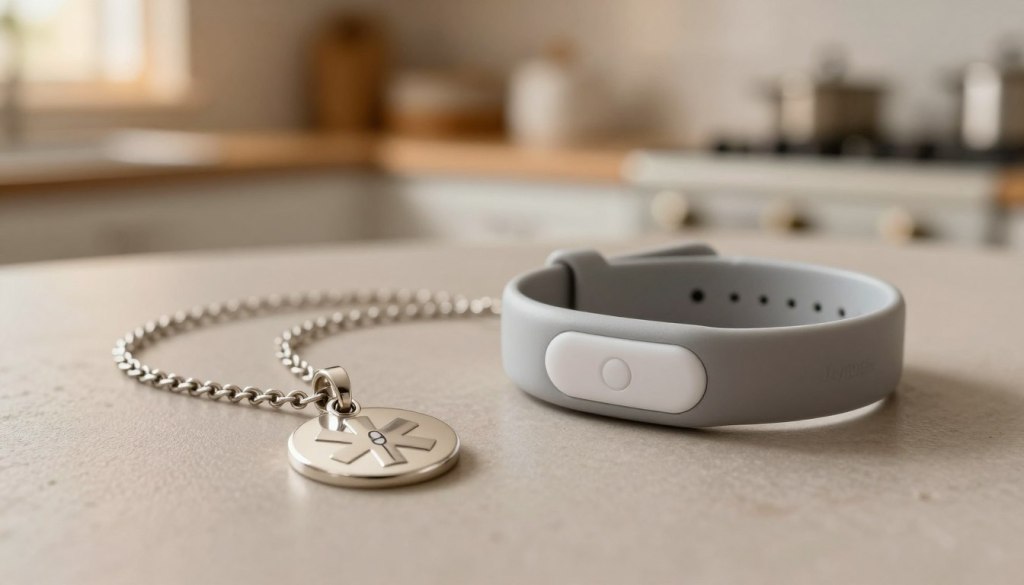
A close-up image contrasting a medical alert pendant and a wristband on a neutral-toned surface. The pendant, made of polished silver, is adorned with a subtle medical symbol, its chain elegantly draped alongside it. The wristband, sturdy yet stylish, features a smooth texture with an embedded alert button. In the background, a softly blurred kitchen scene reflects a homey atmosphere, with warm, ambient lighting illuminating the products. The focus should be sharp, showcasing the details of both devices, while the overall mood is calm and reassuring, highlighting their importance for seniors. The brand "JoyCalls" should be subtly indicated on the wristband.

Pendant vs. Wristband Options

The choice between a pendant and wristband matters more than you might think. It’s about what your parent will actually wear consistently.

Pendants hang around the neck, staying accessible but out of the way. Wristbands fasten like a watch and feel more natural for some people. Consider your parent’s preferences—if they never wore necklaces, a pendant might end up on the nightstand instead of being worn.

Battery Life and Connection Types

Battery performance is crucial. You don’t want the device dying when it’s needed most. Look for options offering at least 3-5 days between charges.

Medical Guardian’s MGMini provides up to 5 days of battery life, while Bay Alarm Medical offers 3 days. Some systems even reach 10 days.

Connection types also matter. Landline systems work with home phones, while cellular options function anywhere in the house. Fall detection is a valuable feature worth the extra cost—usually $10 monthly—as it automatically sends an alert if a fall occurs.

Benefits of Low-Tech Solutions for Seniors Living Alone

What started as a precautionary measure became the foundation for renewed independence and family peace. These straightforward tools transform worry into confidence, creating a safety net that respects autonomy.

The greatest gift these options provide is dignity. Your loved one maintains control over their daily life while having immediate access to help. They continue living in their cherished home without constant supervision.

When an emergency occurs, response time becomes critical. Research shows that extended wait periods significantly impact outcomes. Having a reliable alert system means trained professionals respond within seconds.

Benefit TypeFor Your Loved OneFor Your Family
Emotional SecurityMaintains independence and dignityReduces constant worry and checking
Practical ProtectionImmediate access to emergency helpProfessional monitoring 24/7
Long-term ValueImproved quality of life at homePeace mind knowing help is available

These simple devices work even during confusion or injury. The reliability provides essential protection when it matters most. You can explore various protection options to find the perfect fit.

The emotional benefit extends to better sleep for everyone. Knowing that an emergency alert brings immediate help creates genuine peace of mind. This simple system transforms fear into freedom.

Comparing In-Home and On-The-Go Medical Alert Systems

Choosing the right medical alert system often comes down to one simple question: does your parent need protection at home, or everywhere they go? The answer shapes which device offers true peace of mind.

Some systems are designed for life within the house and yard. Others provide a safety net that travels.

Home-Based Device Advantages

In-home alert systems are perfect for parents who spend most of their time at home. They use a base station and a wearable help button.

The range is a critical feature. It determines how far from the base unit the button will work. Your parent needs coverage throughout the entire house, garden, and driveway.

Medical Guardian’s MG Home Cellular offers an industry-leading range of 1,400 feet. Bay Alarm Medical provides a solid 1,000 feet. These systems are typically more affordable, with monthly monitoring starting around $25.

Portable Device Considerations

On-the-go systems are essential for active, independent parents. They are mobile device with built-in cellular service.

The key advantage is GPS location tracking. If your parent has an emergency away from home, the monitoring center can find their exact location. This is vital if they are disoriented or lost.

The trade-off is a higher monthly cost, usually between $35 and $47. These portable device also need regular charging, typically every few days.

FeatureIn-Home SystemOn-The-Go System
Best ForParents who rarely leave homeActive parents who drive and run errands
Coverage AreaHouse & yard (up to 1,400 ft range)Anywhere with cellular service
Key TechnologyBase station communicationGPS location tracking
Approximate Monthly Cost$24.95 – $38.95$34.95 – $46.95

Analyzing Top Medical Alert Systems on the Market

After reading dozens of reviews, Emily knew she needed to focus on two key factors: response speed and genuine customer care. Our testing reveals which providers excel where it matters most.

Medical Guardian Features

Medical Guardian earned our highest rating of 9.9/10. Their average response time is lightning-fast at just 29 seconds. This system offers incredible range—up to 1,400 feet from the base unit.

They provide five different devices to suit various needs. The MGMini offers impressive 5-day battery life. Their monitoring center staff proved exceptionally professional during our tests.

Bay Alarm Medical Insights

Bay Alarm Medical scored a perfect 10/10 for customer service. Their team provides exceptional support seven days a week. While their average response time is 51 seconds, the quality of care is outstanding.

This alert provider stands out with a rare 15-day free trial. Their starting monthly cost is just $27.95—the lowest we found. They offer free equipment on base systems and decorative charms to make help buttons more discreet.

Both companies represent excellent choices among the best medical alert systems available today. Your choice depends on whether you prioritize speed or budget-friendly options.

Customer Service and Reliability in Medical Alert Providers

The Sunday afternoon call with her father revealed a problem that couldn’t wait until Monday morning business hours. This experience taught her that customer service quality matters just as much as the equipment itself.

When you’re helping a loved one, you need real human support. Not endless automated systems. The right service team makes all the difference during setup and emergencies.

FeatureBay Alarm MedicalMedical Guardian
Customer Service Hours7 days/week: Mon-Fri 6am-6pm PT, Weekends 8am-4:30pm PTMon-Fri 9am-8pm ET, Sat 9am-5pm ET
Contact MethodsPhone, email, chatPhone, email, chatbot
Response Time Average51 seconds29 seconds
Support Quality10/10 rating, caring representativesProfessional, cheerful monitoring staff
A professional customer service representative at JoyCalls, dressed in smart casual attire, engages warmly with an older client over the phone in a bright, modern office setting. The foreground features the representative, displaying a friendly demeanor and focused expression, with a headset and computer screen visible. In the middle ground, a well-organized desk with medical alert devices, such as wearable buttons and a home base station, reflects reliability. The background shows large windows allowing natural light to flood the space, enhancing the atmosphere of trust and safety. Use a soft focus to create a calm and secure mood, with gentle lighting that emphasizes the professionalism and helpfulness of the service provided.

Bay Alarm Medical stands out with seven-day customer service. Their team provides exceptional support when you need it most. Weekend availability is crucial for peace of mind.

The monitoring center response time is equally important. Medical Guardian averages an impressive 29 seconds. Their staff treats every call as a real emergency.

Reliability means consistent connections and clear communication. Choose a provider that values your customer experience. One that supports you through every step.

User Experience and Setup Process

For many families, the biggest hurdle isn’t choosing the right device, but the anxiety of setting it up correctly. Will it be a frustrating puzzle? This concern is real and valid.

A positive first impression is crucial. If opening the box is a struggle, it sets a negative tone.

A senior individual, a woman in her 70s, is in a cozy, well-lit living room setting, focused on setting up a medical alert system branded "JoyCalls." She is wearing modest casual clothing. The foreground features a close-up of her hands as she unpacks the alert device, showing clear details of the product’s sleek design. In the middle, a small table is visible with a user manual and smartphone, indicating the setup process. The background shows a warm, inviting room filled with soft natural light coming through a window, creating a safe and comforting atmosphere. The overall mood is calm and reassuring, emphasizing independence and safety for seniors.

We evaluated the initial experience with leading providers. The goal was simplicity from unboxing to first use.

Unboxing and Installation Ease

Medical Guardian’s packaging stood out. It featured soft foam that pulled out easily. This design helps people with hand dexterity issues.

Their system simplifies connection. Devices automatically find your WiFi network. The help button even talks you through the process.

Bay Alarm Medical takes simplicity further. Their units arrive pre-activated. There is essentially no setup needed before use.

Understanding User Manuals and Guides

A good manual uses clear pictures, not confusing jargon. Medical Guardian’s guide shows where everything goes.

Visual cues are also helpful. Devices light up or say “charging” when placed correctly. This confirms the system is working.

Both companies offer step-by-step instructions. They respect the user‘s intelligence while making the process genuinely easy.

Setup FeatureMedical GuardianBay Alarm Medical
PackagingEasy-open foam designStandard packaging
Connection ProcessAutomatic WiFi connectionPre-activated; no setup
User GuidanceVoice-guided help buttonClear, written instructions
Charging IndicatorsVisual and audio cuesVisual light indicators

This thoughtful design ensures a smooth start. It builds confidence for the user and their family. For more tips on introducing new technology, explore this guide on how to teach technology to seniors.

Integrating Safety Devices with Caregiver Apps

Mark found himself checking his phone every hour, even during important client presentations. The constant worry about his mom’s wellbeing was becoming a distraction he couldn’t afford. That’s where modern caregiver apps change everything.

These smartphone applications keep you connected to your parent’s protection system. You receive immediate alerts about emergency calls and system status updates. No more constant checking calls that disrupt your day—or theirs.

A clean, minimalistic workspace featuring a smartphone displaying the "JoyCalls" caregiver app on its screen. In the foreground, a professional caregiver dressed in smart casual attire interacts with the app, tapping on safety device notifications. The middle ground includes various low-tech safety devices like a motion sensor, emergency alert button, and a medication reminder. The background is a softly lit home environment, reflecting a warm and safe atmosphere, with cozy furniture and subtle decorations to emphasize a nurturing space. The image is shot from a slightly elevated angle, capturing the interaction and technology harmoniously, while maintaining clarity and a professional tone.

Medical Guardian’s MyGuardian caregiver app includes a special Care Circle feature. Multiple family members can coordinate care and receive notifications. You’re not carrying the entire responsibility alone.

Bay Alarm Medical’s app lets you manage accounts and track mobile device locations. GPS tracking shows where your parent is during emergencies. This is vital if they can’t communicate their location.

For daily connection beyond emergencies, consider JoyCalls. This AI companion makes regular check-in calls to your parent. It sends you conversation summaries without requiring any app or device for them.

These tools represent how technology enhances independence while keeping families connected. The right caregiver app turns worry into informed peace of mind.

Evaluating Pricing, Hidden Fees, and Equipment Costs

The final checkout page shouldn’t be the first time you see the real total. Understanding the complete pricing picture prevents stressful surprises.

Monthly monitoring costs are just the start. They range from about $25 to $47. Bay Alarm Medical offers a low starting price of $27.95.

A clean, professional workspace depicting the evaluation of medical alert system costs. In the foreground, a focus on a detailed, modern calculator and financial documents with charts showcasing pricing, hidden fees, and equipment costs, specifically highlighting the brand "JoyCalls." In the middle, a person in smart casual attire, engaged in thoughtful analysis, surrounded by a laptop displaying relevant data. The background features a softly blurred bookshelf filled with resourceful books on safety devices, enhancing the scholarly atmosphere. Soft, natural lighting filters through a window, casting a warm glow over the scene, evoking a sense of trust and competence. The overall mood is focused and analytical, perfect for illustrating the thoughtful process behind selecting safety devices for seniors.

Watch for equipment fees. Some companies charge over $150 for the equipment, only showing this fee at checkout. This feels deceptive.

Others are more transparent. MobileHelp charges no equipment fees at all. Bay Alarm Medical often provides the home system equipment for free.

Add-ons like fall detection typically cost $10 per month. This is a valuable cost for added protection.

Here’s a quick breakdown to help you compare:

  • Monthly Monitoring: Ranges from $24.95 to $46.95.
  • Equipment Fees: Can be $0 (MobileHelp) or over $150 (Medical Guardian).
  • Fall Detection: Adds about $10 to your monthly bill.
  • Hidden Charges: Ask about activation and shipping fees.

Choosing a provider with clear pricing, like those reviewed on SeniorLiving.org, makes budgeting simpler. You get peace of mind without financial worry.

Expert Reviews and User Testimonials

The true test of any emergency system comes not from marketing claims, but from genuine user experiences. Our team conducted hands-on testing with the same care and concern any family member would bring to this important decision.

We evaluated each device across 16 different criteria. Our testing process included unboxing, setup, and multiple emergency calls. One team member noted about Medical Guardian: “I had no issues taking everything out. The soft foam cushioning was easily pulled out.”

Response time testing revealed impressive results. All recommended systems connected to monitoring centers in under 60 seconds. LifeFone averaged just 22 seconds, while Medical Guardian responded in 29 seconds.

The monitoring staff treated every test call with professional seriousness. Our review process confirmed that quality response teams make the difference during real emergencies. For additional comprehensive reviews, we recommend checking trusted sources.

This thorough evaluation experience gives families genuine confidence. Knowing how each alert system performs in real-world conditions provides peace of mind that brochures alone cannot offer.

Top Picks for Low-Tech Senior Safety Devices

Our comprehensive testing revealed clear winners in different categories based on specific needs. Each of these medical alert systems offers unique strengths that make them stand out.

Overview of Best-Selling Options

Medical Guardian earns our best overall pick with lightning-fast 29-second response times. Their impressive 1,400-foot range covers even large homes comfortably.

For exceptional customer care, Bay Alarm Medical delivers perfect 10/10 service scores. Their rare 15-day trial and $27.95 starting price provide outstanding value.

Best Value for Budget-Conscious Buyers

MobileHelp stands out with the lowest monthly cost at $24.95 and absolutely no hidden fees. Their generous bundles make this system incredibly affordable for families.

LifeFone offers the longest battery life—up to 10 days—perfect for those who might forget regular charging. Their 22-second response time provides quick emergency assistance.

The right choice depends on your specific situation. Active individuals need mobile devices, while home-based options work perfectly for those who stay close to home.

Tips for First-Time Buyers

Navigating the world of medical alert systems for the first time brings up important questions about trial periods and warranties. Getting this decision right matters for long-term peace of mind.

What to Look for in a Trial Period

A good trial period lets your loved one test the device in daily life. Bay Alarm Medical offers 15 days, while Lively provides 30 days to try their system risk-free.

During the trial, have them press the help button after warning the monitoring center. This shows how quickly the alert connects and how clear communication sounds.

Walk through the entire home while wearing the button. Check if the range covers basements, yards, and far corners. Comfort and ease of use matter most during this testing phase.

Warranty coverage protects your investment long-term. Medical Guardian offers one year, while MobileHelp provides an impressive lifetime warranty. Bay Alarm Medical covers normal wear and tear.

When buying your first system, don’t rush. Talk about what feels comfortable to wear daily. Consider starting with basic options if they’re skeptical about these helpful tools.

Building a Low-Tech Safety Routine Around the Home

Buying a safety device is important, but it is only one part of helping an older adult live alone with confidence. A pendant, wristband, landline alert system, or check-in service can bring help quickly, but the safest homes also have simple routines that reduce the chance of an emergency happening in the first place.

This matters because many everyday risks are not dramatic. They are ordinary moments: reaching for a towel after a shower, walking to the bathroom at night, standing up too quickly, carrying tea from the kitchen, or trying to answer the door before it closes. These are the moments where a low-tech safety plan can make a real difference.

The goal is not to turn the home into a hospital. It is to make the home easier to move through, easier to manage, and easier to recover from if something goes wrong. For many seniors, the best approach is a layered one: remove common hazards, place help tools where they are actually needed, and create a simple routine that family members can support without taking away independence.

Start With a “Normal Day” Walkthrough

Before buying more devices, walk through the home as if you are the older adult living there. This is more useful than making a generic checklist. Start at the bed. Then move through the morning routine: getting up, using the bathroom, making tea or breakfast, taking medication, sitting down, answering the phone, checking the door, doing laundry, bathing, preparing dinner, and going to bed.

At each point, ask one question: “What could make this moment harder, slower, or riskier?”

For example, the bedroom may look safe during the day, but at 2 a.m. the path to the bathroom may be dark. The kitchen may seem organized, but the most-used mug may be on a high shelf. The bathroom may have a mat, but it may slide slightly when stepped on. The hallway may be clear, but a phone charger cord may cross the walking path.

The National Institute on Aging recommends room-by-room fall prevention, including improving lighting, removing tripping hazards, and making bathrooms safer with supports like grab bars and nonslip surfaces. CDC fall-prevention resources also emphasize practical home checks and caregiver involvement, especially for older adults who have fallen before or may be at risk.

A helpful method is to divide the home into three zones:

High-risk zones: bathroom, bedroom, stairs, kitchen, entryway.
High-use zones: favorite chair, dining table, phone area, medication area.
Low-visibility zones: hallway at night, laundry area, garage, porch, garden path.

Safety devices should be placed where these zones overlap. A help button is useful, but so is a sturdy chair with arms near the bed. A flashlight is useful, but only if it is reachable from the bed, not stored in a drawer across the room.

Create a Bathroom Safety Setup That Does Not Depend on Memory

The bathroom deserves special attention because it combines water, hard surfaces, bending, turning, and getting in or out of a seated position. This is where low-tech safety choices should be practical, not decorative.

Start with the floor. Remove loose rugs unless they are firmly secured with nonslip backing. Use a nonslip bath mat inside the shower or tub and a stable mat outside it. If the older adult uses a towel on the floor after bathing, replace that habit with a proper nonslip mat. Towels slide easily and can create a serious hazard.

Next, look at hand support. A towel rack is not a grab bar. It may look strong, but it is not designed to hold body weight. Install proper grab bars near the toilet and inside the bathing area. Choose bars with a textured grip and place them where the person naturally reaches, not simply where installation is easiest.

A shower chair can also be one of the most useful low-tech safety devices for seniors living alone. It reduces the need to stand while bathing and helps conserve energy. For seniors who feel embarrassed about using one, frame it as a comfort tool, not a disability tool. Many older adults accept safety changes more easily when they feel the change protects their independence rather than labels them as fragile.

Place daily bathing items between waist and shoulder height. Shampoo, soap, razors, towels, and lotion should not require bending, twisting, or reaching above the head. Use a wall-mounted shower caddy or a stable shelf. Avoid suction-only organizers if they frequently fall.

Finally, add a bathroom-specific emergency plan. If the senior wears a medical alert pendant, confirm whether it is water-resistant and safe for shower use. If they remove it before bathing, that creates a dangerous gap. The bathroom is one of the last places where the help button should be left outside the room.

Make Nighttime Movement Safer

Many seniors are most vulnerable at night, not because they are careless, but because the body is slower, vision is reduced, and balance may be less steady after waking.

The first step is lighting. Use plug-in night lights along the route from the bed to the bathroom. Choose automatic dusk-to-dawn lights so the senior does not have to remember to turn them on. Place one near the bed, one in the hallway, and one in the bathroom. Avoid lights that are too bright or glaring, because sudden brightness can be disorienting.

The second step is reducing urgency. Keep a clear path from the bed to the bathroom. Remove small furniture, laundry baskets, footstools, loose rugs, and electrical cords from that route. If the bathroom is far away, consider whether a bedside commode is appropriate. This can be a sensitive topic, so discuss it respectfully. Present it as an option for difficult nights, illness, or recovery after a procedure rather than as a permanent change.

The third step is helping the person stand safely. A bed rail, transfer handle, or sturdy chair beside the bed can help some seniors rise more confidently. The key is choosing something stable and properly installed. A wobbly support is worse than no support because it creates false confidence.

Also review footwear. Slippers should have backs, nonslip soles, and a secure fit. Open-back slippers can slide off or cause shuffling. Socks without grips can be slippery on tile or wood floors. A simple pair of well-fitting indoor shoes may be safer than soft slippers.

Use “Reach Zones” to Prevent Overstretching

One overlooked safety issue is reaching. Many accidents happen when an older adult stretches too far, stands on tiptoe, bends deeply, or climbs a stool to get something used every day.

Create safe reach zones throughout the home. The most-used items should be placed between shoulder and knee height. This includes cups, plates, medications, towels, cleaning supplies, phone chargers, remote controls, reading glasses, hearing aid batteries, and favorite snacks.

In the kitchen, move heavy items to waist level. Pots, pans, mixers, pressure cookers, and large containers should not be stored high. If the senior drinks tea every morning, keep the mug, tea, kettle, and sugar or sweetener in one easy-to-reach area. If they take medication with breakfast, keep the pill organizer in a consistent location away from heat and moisture, but close enough to the routine that it is not forgotten.

Avoid step stools when possible. If one is absolutely necessary, it should have a wide base, a handle, and nonslip feet. But for many seniors living alone, the better solution is rearranging storage so climbing is unnecessary.

This is also a good time to reduce clutter. Clutter is not just untidy; it slows decision-making and movement. Keep surfaces simple. A clear bedside table with a lamp, phone, water, glasses, and help button is safer than a crowded table where the person has to search during discomfort or confusion.

Build a Low-Tech Communication Backup Plan

A medical alert system is helpful, but seniors should also have simple communication backups. These backups should work even if the person is tired, anxious, or unable to remember numbers.

Place a printed emergency contact sheet in three locations: near the main phone, on the refrigerator, and near the bed. Use large, dark print. Include family contacts, neighbors, primary doctor, pharmacy, preferred hospital, allergies, medications, and any important medical conditions. If emergency responders enter the home, the refrigerator is one of the easiest places for them to find important information.

Create a phone tree with clear roles. One person should be the primary contact. Another should be the backup. A nearby neighbor or building manager can be listed for urgent physical checks. Avoid a vague plan where “everyone” is responsible, because in practice that can mean nobody knows who should act first.

For seniors who do not use smartphones comfortably, consider a simple landline phone with large buttons and photo speed dial. Program only the most important numbers. Too many buttons or contacts can become confusing. The goal is not to create a directory; it is to make help reachable quickly.

A daily check-in routine can also be valuable. This does not have to feel intrusive. It may be a morning call, an evening call, or a scheduled service that checks in consistently. The routine should be predictable. If the senior knows the call is coming, it feels less like surveillance and more like connection.

Prepare for Power Outages and Phone Problems

Low-tech planning is especially useful when regular systems stop working. A storm, power outage, dead phone battery, or misplaced charger can quickly create anxiety for someone living alone.

Keep at least one flashlight near the bed and one near the main sitting area. Choose flashlights that are easy to grip and simple to turn on. Avoid tiny flashlights that are hard to find or models with multiple confusing modes. Check the batteries on a schedule, such as the first Sunday of every month.

If the home has a landline, confirm whether it works during power outages. Some modern phone setups require electricity. If the senior relies on a cordless phone, add at least one corded phone if the phone service supports it. Cordless phones are convenient, but they may not work when the base loses power.

Keep a written list of what to do during an outage. This list should be short and practical:

Stay seated if the room is dark.
Use the flashlight beside the bed or chair.
Do not use candles.
Call the primary contact if power is out for more than a set time.
Keep the refrigerator closed.
Wear warm layers if needed.
Press the emergency button if feeling unsafe, dizzy, injured, or unable to reach help.

For families, set a weather-related check-in rule. For example, if there is a storm warning, extreme heat, heavy rain, or a known outage nearby, one person calls before the event and one person checks in after. This is especially important for seniors who may minimize discomfort because they do not want to “bother anyone.”

Make the Front Door Safer Without Making the Senior Feel Trapped

Door safety is often discussed in terms of security, but for seniors living alone it is also about movement, confidence, and avoiding rushed decisions.

Start with visibility. A peephole, door viewer, or simple window covering that allows safe viewing can reduce the need to open the door to strangers. Good porch lighting also matters. Use a bright, reliable light at the entrance, preferably one that does not require walking outside to switch on.

Place a small table or shelf near the door for keys, mail, and glasses. Many falls happen when people try to carry too much while opening or closing the door. If packages are common, create a rule: packages can wait. The senior should not rush to retrieve deliveries, especially in bad weather or poor lighting.

If the home has steps at the entrance, add sturdy railings on both sides where possible. The walking surface should be even and nonslip. In wet climates, use a heavy, flat, nonslip outdoor mat that does not curl at the edges. Avoid decorative mats that slide or bunch up.

It is also wise to create a “do not open immediately” habit. Seniors should feel comfortable letting a visitor wait while they move slowly. A simple script can help: “Please wait. It takes me a moment to get to the door.” This protects both safety and dignity.

Set Up a Medication Safety Station

Medication mistakes can happen quietly. A person may forget a dose, take it twice, mix up morning and evening pills, or struggle to read small labels. A low-tech medication station can reduce these risks.

Use a weekly pill organizer with large compartments and clear labels. If the person takes medicine multiple times a day, use a morning-evening or morning-noon-evening organizer. Refill it on the same day each week. If possible, one family member, caregiver, or pharmacist should periodically check that it is being filled correctly.

Keep a printed medication list beside the organizer. Include the medication name, dose, time, purpose, and prescribing doctor. This helps during emergencies and medical appointments. Update the list whenever something changes.

Do not store discontinued medicines near current ones. Remove expired or stopped medications safely. Keeping old bottles “just in case” can create confusion.

Also pay attention to lighting. Medication should be taken in a well-lit place, not in a dim bedroom or while rushing. If the senior has vision challenges, ask the pharmacy about large-print labels or easy-open caps, while balancing safety if children ever visit the home.

Create a Monthly Safety Reset

Safety plans fail when they are treated as one-time projects. Homes change. Batteries die. Rugs shift. New medications are added. Vision changes. A monthly reset keeps the plan useful.

Choose one recurring day each month. Keep the checklist short enough that it actually gets done. A strong monthly reset can include:

Test the medical alert button.
Check flashlight batteries.
Confirm night lights work.
Review the emergency contact sheet.
Remove clutter from walking paths.
Check bathroom mats and grab bars.
Refill or review the medication organizer.
Confirm phones are charging properly.
Look for loose rugs, cords, or furniture that has shifted.
Ask the senior what felt difficult this month.

That last question is important. Older adults often adapt silently. They may stop using a room, avoid bathing when tired, skip laundry, or stop going outside because one task has become difficult. Asking what felt hard helps families fix small problems before they become emergencies.

Use Safety Changes to Support Independence, Not Control It

The most successful safety plans are built with the senior, not imposed on them. A person who has lived independently for decades may resist changes that make them feel watched, corrected, or treated like a child.

Use respectful language. Instead of saying, “You need this because you might fall,” say, “This makes it easier for you to keep doing things on your own.” Instead of saying, “We are worried about you,” say, “We want help to be easy to reach if you ever need it.”

Offer choices whenever possible. Would they prefer a wristband or pendant? A white grab bar or brushed metal? A shower chair with a back or without one? A morning check-in or evening check-in? Small choices preserve dignity.

Also avoid making too many changes in one day. Start with the highest-risk areas: bathroom, nighttime path, medication station, and emergency communication. Once those feel normal, move to kitchen storage, entryway safety, and monthly resets.

The right low-tech safety plan should feel calm, practical, and empowering. It should help an older adult move through the day with less worry, while helping family members step back from constant fear. The best result is not just a safer home. It is a home where independence feels realistic, supported, and respected.

Integrating Family, Neighbors, and Community Into a Low-Tech Safety Net

A truly effective safety setup for seniors living alone does not rely only on devices or home modifications—it also includes people. While low-tech tools reduce risk, human connection ensures that small problems don’t turn into serious emergencies. The key is to create a support system that feels natural, respectful, and non-intrusive.

Many seniors hesitate to “ask for help” because they don’t want to feel dependent. That’s why the system should not feel like help—it should feel like routine interaction.

Create a Predictable Check-In System That Feels Normal

Instead of random calls or messages, establish a predictable rhythm. This removes uncertainty for both the senior and the family.

For example:

  • A morning “good morning” call or message
  • A weekly longer conversation (video or phone)
  • A simple “goodnight” confirmation

The goal is consistency, not frequency. Even one reliable check-in per day can significantly reduce risk.

Make it easy to follow:

  • Keep the same time daily
  • Keep it short and friendly
  • Avoid turning it into a “health interrogation”

If a check-in is missed, there should be a clear next step:

  1. Call again after 10–15 minutes
  2. Contact the backup person
  3. Ask a nearby neighbor to check in physically

This removes confusion in urgent situations.

Build a “Local Circle” of Support

Family members are not always nearby. That’s why having at least one local contact is important.

This could include:

  • A trusted neighbor
  • Building security or concierge staff
  • A nearby shop owner or regular acquaintance
  • A local relative or family friend

The idea is not to involve many people, but to involve the right people.

Introduce them intentionally:

  • Let the senior meet them personally
  • Explain when and why they might be contacted
  • Keep expectations simple (e.g., “just check if the door is answered”)

This creates familiarity, so it doesn’t feel uncomfortable if help is needed later.

Use Social Interaction as a Safety Tool

Isolation increases risk—not just emotionally, but physically. Seniors who interact regularly tend to:

  • Stay more alert
  • Maintain better routines
  • Notice changes in their own health earlier

Encourage small, consistent social habits:

  • A daily walk at a fixed time
  • Visiting the same tea stall or café
  • Attending a weekly group activity (temple, park group, community center)
  • Regular phone chats with friends

These are not just social—they act as “informal monitoring systems.” If someone doesn’t show up, others notice.

Establish “If Something Feels Off” Rules

Seniors often ignore early warning signs because they don’t want to worry others. That’s why clear rules help.

Create simple, agreed guidelines such as:

  • Call someone if feeling dizzy or unusually weak
  • Do not wait if there is chest discomfort or sudden pain
  • Press the alert button even if unsure—it’s better than waiting
  • Sit down immediately if feeling unstable

These rules should be discussed calmly, not during a crisis.

The goal is to remove hesitation. Many emergencies become serious because of delay, not because help was unavailable.


Managing Daily Energy and Reducing Physical Strain

One of the most overlooked safety strategies is managing energy, not just hazards. Many falls and accidents happen when seniors are tired, rushing, or doing too much at once.

Break Tasks Into Smaller Steps

Instead of doing everything in one go, encourage splitting tasks.

For example:

  • Instead of carrying multiple items at once → make two trips
  • Instead of cleaning the whole house → clean one room at a time
  • Instead of cooking everything standing → prep while seated

This reduces fatigue and improves balance.

Avoid “Rush Moments”

Certain times of day naturally create urgency:

  • Answering the door
  • Picking up a ringing phone
  • Going to the bathroom suddenly
  • Cooking while something is boiling

Teach a simple principle: nothing is urgent enough to risk a fall.

Practical adjustments:

  • Let calls go to voicemail
  • Ask delivery people to wait
  • Turn off the stove before leaving the kitchen
  • Keep commonly used items within reach

Slowing down is not a weakness—it’s a safety strategy.

Use Seating Strategically

Chairs are not just for rest—they are safety tools.

Place stable chairs with armrests in key areas:

  • Near the bed
  • In the kitchen
  • In the bathroom (if space allows)
  • Along longer walking paths

This allows the senior to pause, sit, and regain balance whenever needed.

A good chair should:

  • Be sturdy (not lightweight or foldable)
  • Have armrests for support
  • Be at a comfortable height (not too low)

Monitor Subtle Signs of Fatigue

Family members should watch for patterns like:

  • Sitting down more frequently
  • Avoiding certain tasks
  • Moving more slowly than usual
  • Skipping routines (bathing, cooking, going out)

These are early indicators that adjustments are needed.

Instead of asking, “Are you okay?”, ask:

  • “What felt tiring today?”
  • “Is there anything that feels harder than before?”

This leads to practical improvements rather than defensive answers.


Planning for “What If” Scenarios Without Creating Fear

Emergency planning should be simple, clear, and reassuring—not overwhelming.

Create a One-Page Emergency Plan

This should be printed in large text and placed in visible areas.

Include:

  • Emergency contacts
  • Address and directions (for responders)
  • Medical conditions
  • Medications
  • Preferred hospital
  • Basic instructions (e.g., “Press alert button if unable to stand”)

Avoid long documents. In an emergency, clarity matters more than detail.

Practice Simple Scenarios

Without making it stressful, walk through basic situations:

  • What to do if you fall but are conscious
  • What to do if you feel dizzy
  • What to do if the phone is not working
  • What to do during a power outage

Keep it conversational. The goal is familiarity, not alarm.

Encourage Early Action, Not “Waiting It Out”

A common risk is waiting too long.

Seniors may think:

  • “It will pass”
  • “I don’t want to bother anyone”
  • “It’s probably nothing”

Reinforce one principle:
Act early, not late.

Even if it turns out to be nothing, early action prevents escalation.


Adapting the Safety Plan Over Time

A safety setup is not permanent. Needs change gradually, and the plan should evolve without sudden disruptions.

Review Every 3–6 Months

Instead of waiting for a problem, schedule regular reviews.

Ask:

  • What feels harder than before?
  • Are there any near-misses or small incidents?
  • Is anything being avoided?
  • Are all devices still being used properly?

This keeps the plan proactive rather than reactive.

Watch for Lifestyle Changes

Adjustments may be needed if:

  • New medications are introduced
  • Vision or hearing changes
  • Mobility becomes slower
  • The senior recovers from illness or surgery

Even small changes can affect safety.

Upgrade Only When Necessary

Not every situation requires more technology. Sometimes:

  • Rearranging furniture
  • Improving lighting
  • Adjusting routines

…can solve the problem effectively.

Keep the approach simple. Complexity often leads to confusion and non-use.


Helping Seniors Accept and Sustain Safety Changes

The biggest challenge is not installing safety measures—it’s ensuring they are consistently used.

Avoid Fear-Based Conversations

Statements like:

  • “You might fall”
  • “This is dangerous”

…can create resistance.

Instead, focus on benefits:

  • “This makes things easier”
  • “This helps you stay independent”
  • “This saves effort”

Positive framing leads to better acceptance.

Introduce Changes Gradually

Do not change everything at once.

Start with:

  1. Bathroom safety
  2. Nighttime lighting
  3. Emergency communication

Once these feel normal, add more adjustments.

Respect Personal Preferences

Some seniors may:

  • Prefer certain layouts
  • Resist visible “medical-looking” equipment
  • Value aesthetics

Whenever possible, adapt safety measures to their preferences rather than forcing standard solutions.

Reinforce Through Routine

Safety becomes effective when it becomes habit.

Examples:

  • Wearing the alert pendant every morning
  • Placing the phone in the same spot daily
  • Checking pathways before bedtime

Habits reduce the need for constant reminders.

Additional Resources and Tools for Decision Making

While medical alert systems provide crucial emergency protection, true peace of mind comes from addressing multiple safety aspects. A comprehensive approach creates layers of protection that work together seamlessly.

Consider home modifications like grab bars and walk-in tubs. These tools prevent accidents before they happen. Stair lifts and wheelchair ramps make multi-story home environments safer for older adults.

Financial protection is equally important. Identity theft services monitor accounts and credit scores. “Scammers often target older adults,” warns a fraud prevention expert. AARP’s Fraud Watch Network offers a helpline at 877-908-3360 for immediate assistance.

For daily connection, JoyCalls provides regular check-ins through simple phone calls. This AI companion works alongside emergency alert systems, offering conversation and early detection of changes. Sign up for JoyCalls to maintain daily contact without requiring any new device.

Hearing aids help people hear emergency warnings clearly. Mobility tools like canes and scooters prevent falls. These services complement your main protection systems.

Building complete safety means considering isolation, cognitive changes, and financial risks. Each layer adds protection, creating confidence for both seniors and their families. The right combination of tools addresses the whole picture.

Future Trends in Medical Alert and Safety Technology

The evolution of emergency response tools is moving toward invisible protection that works seamlessly in the background of daily life. These innovations respect independence while providing advanced security.

Advances in Fall Detection and Health Monitoring

Modern fall detection technology has transformed emergency response. Sophisticated algorithms analyze movement patterns to distinguish between normal activities and actual falls.

This automatic detection can send an alert even when someone cannot press the button. Roughly 1 in 4 older adults experience falls each year, making this feature increasingly vital.

Health monitoring capabilities are expanding beyond emergency calls. Some systems now track activity levels and sleep patterns. These features provide early warning signs of health changes.

Future integration with smart home technology offers exciting possibilities. Voice-activated systems allow for help requests without wearable devices. The focus remains on user-friendly designs that people actually want to use daily.

As detection accuracy improves, these advanced features are becoming standard rather than optional. This progression represents meaningful progress in protective technology.

Conclusion

As you consider the options before you, remember that this choice represents love in its most practical form. Statistics show that 75% of families wait until after an emergency to seek help. You have the power to be different.

Choosing a medical alert system before something happens provides essential protection. It maintains independence while offering true peace mind. These simple tools create safety nets that respect autonomy.

The right device becomes a lifeline. It connects your loved one to immediate assistance when needed most. Modern alert systems blend reliability with dignity.

Trust your research. You’ve gathered the information needed to make an informed decision. This investment in safety benefits everyone involved.

Take that next step with confidence. Your proactive choice today could prevent tomorrow’s crisis. You’re not just buying equipment—you’re purchasing precious peace of mind.

FAQ

What is the difference between a home-based and a portable medical alert system?

A home-based system uses a base unit connected to a landline or cellular network and works within a specific range, like your house. A portable device, often a help button with fall detection, uses cellular service and GPS to offer protection anywhere you go, providing location tracking in an emergency.

How does fall detection technology work on these devices?

Fall detection uses sensors to identify a sudden, hard fall. If a fall is detected and you can’t press the button for help, the device automatically sends an alert to the monitoring center. This feature adds an extra layer of protection, giving everyone greater peace of mind.

Are there monthly fees for medical alert systems?

Yes, most systems require a monthly monitoring fee. This fee covers the 24/7 connection to an emergency response center. It’s important to check the service details, as equipment costs and activation fees can also apply. Always review the full pricing structure to avoid surprises.

Can I use a medical alert system without an internet connection?

Absolutely. Many systems are designed to work over a standard landline phone connection, making them a great low-tech option. Cellular-based systems are also available for homes without a landline. The key is reliable connectivity to ensure help is always available.

What should I look for in a trial period or warranty?

Look for a risk-free trial period, typically 30 days, that allows you to test the equipment and service. A good warranty protects your investment in the device. This gives you time to ensure the system is the right fit for your lifestyle and safety needs.

How does the battery life work for these devices?

Wearable help buttons have long-lasting batteries that can go for years before needing replacement. The base station for a home system typically has a backup battery that kicks in during a power outage, keeping you protected. It’s a key feature for continuous emergency protection.


Other Articles related to this article:

Medication Adherence Tips From Pharmacists (Simple, Proven)
Medication Reminders for Diabetes, BP, and Heart Meds (Systems That Stick)
Remote Medication Monitoring for Elderly Parents (What’s Realistic)
Medication Errors at Home: The Most Common Mistakes (And Fixes)
Side Effects vs Nonadherence: What Caregivers Should Watch For
The Best Time to Take Meds: Building a Habit Around Meals
Automatic Pill Dispensers: Do They Really Improve Adherence?
Medication Refills: Simple System to Never Run Out
How to Talk to a Stubborn Parent About Taking Meds
Polypharmacy in Seniors: Managing Too Many Meds Safely
Medication Reminders for Vision or Hearing Problems (Easy Fixes)
Medication Adherence for Dementia: Routines That Reduce Stress
Blister Packs and Bubble Packs: Are They Worth It for Seniors?
Pharmacy Sync: How to Align Refills on the Same Day
How to Keep an Updated Medication List (Template + Tips)
Text Message Medication Reminders for Seniors (Pros and Cons)
AI Medication Reminders: What They Can and Can’t Do
Medication Adherence for Seniors: Why Doses Get Missed
Post-Hospital Medication Plan: Avoiding Confusion After Discharge
Best Medication Reminder Methods (No Smartphone Needed)
Phone Call Medication Reminders: Do They Work Better Than Apps?
Pill Organizer 101: How to Choose the Right One for Seniors
Medication Management for Seniors Living Alone (Safety Plan)
Weekly Pill Planner Setup (Step-by-Step, 10 Minutes)
Daily Check-In Routine for Seniors Who Hate Being Checked On
How to Create a Medication Schedule That Actually Works
Medication Adherence Checklist for Caregivers (Fully Explained + Printable)
What to Do When Your Parent Says “I Already Took The Medicine”
How to Prevent Double Dosing in Seniors
Medication Reminder Apps for Seniors: What’s Actually Easy
How to Help Elderly Parents Remember Their Meds (Simple System)
Daily Check-In Routine for Seniors With Hearing Issues (Make It Easier)
Weekly Review: How to Spot Patterns From Daily Check-Ins
How to Start a Daily Check-In Routine in One Day (Fast Setup)
Daily Phone Check-In Services for Seniors: What to Look For
AI Check-In Calls for Seniors: How They Work (And What They Don’t Do)
The Best Daily Check-In Apps and Tools (And Simple No-App Options)
Daily Check-In Routine That Builds Real Connection (Not Just Monitoring)
How to Share Daily Caregiving Updates With Siblings (Without Miscommunication or Drama)
How to Set Boundaries With Daily Check-Ins (So It Doesn’t Take Over Your Life)
Daily Mood Check-Ins for Seniors: What to Watch For
Daily Check-In Routine After Hospital Discharge (First 14 Days)
How Often Should You Check In on Elderly Parents?
Daily Check-In Routine for Meals and Hydration (Quick Method)
Daily Check-In Routine for Seniors Living Alone (Safety + Connection)
How to Track Daily Check-Ins Without Feeling Like a Spreadsheet
Daily Check-In Routine for Medication Adherence (Without Nagging)
How to Build a Check-In Routine That Seniors Won’t Resist
Caregiver Check-In Schedule Template (Daily + Weekly)
Daily Check-In Routine for Elderly Parents (Simple Plan)
The 2-Minute Daily Check-In Script (No Awkward Talk)
The “No Answer” Escalation Plan for Daily Check-Ins
Daily Check-In Routine for Chronic Conditions (BP, Diabetes, COPD)
Daily Check-In Routine for Fall Risk (What to Ask Daily)
Daily Wellness Check Calls: What to Ask (7 Questions)
Daily Check-In Routine for Long-Distance Caregivers
What to Do If Your Parent Misses a Check-In (Step-by-Step)
Daily Check-In Routine for Dementia: Simple, Calm, Consistent
Daily Check-In Text vs Phone Call: Which Is Better for Seniors?
Morning vs Evening Check-Ins: What Works Best for Seniors
Caregiver Guilt: When You Can’t Be There to Keep Them Company
Senior Loneliness and Anxiety: Why They Feed Each Other
Does an AI Companion Help Senior Loneliness? What to Expect
How to Build a “Circle of Care” to Reduce Isolation (Neighbors, Friends, Family)
Volunteering for Seniors: The Best Way to Feel Connected Again
Loneliness in Men vs Women After 65: What Changes?
Senior Centers vs Community Groups: What Works Better for Loneliness?
“No One Needs Me”: How Purpose Reduces Loneliness in Aging
How to Make Phone Calls Feel Less “Check-In” and More Like Real Connection
Loneliness in Assisted Living: Why It Still Happens and What Helps
Loneliness or Depression? How to Spot the Difference in Older Adults
The Health Risks of Loneliness in Seniors (Heart, Brain, Immunity)
Loneliness in Older Adults: Signs, Causes, and What Helps
Loneliness in Seniors Without Smartphones: Low-Tech Ways to Stay Connected
Best Hobbies for Lonely Seniors (Easy to Start, Low Energy)
Social Isolation vs Loneliness: What’s the Difference in Seniors?
Retirement Loneliness: Why It Happens and How to Fix It
How to Help Seniors Make Friends After 60 (Practical Steps)
How to Create a Weekly Social Routine for an Elderly Parent
After a Spouse Dies: Loneliness in Widowhood (What Actually Helps)
How to Tell If Your Aging Parent Is Lonely (Even If They Say They’re Fine)
The “Quiet Withdrawal” Problem: When Seniors Stop Calling Back
How Often Should You Talk to Your Elderly Parents to Prevent Loneliness?
How to Help a Parent Who Refuses Social Activities
How to Help a Lonely Elderly Parent When You Live Far Away
Social Isolation in Seniors Living Alone: A Safety + Loneliness Plan
Senior Loneliness at Night: Why Evenings Feel Worse
Daily Check-In Calls for Seniors: Do They Reduce Loneliness?
Conversation Ideas for Seniors Who Feel Lonely (No Awkward Small Talk)
Loneliness and Dementia: Does Being Alone Speed Up Memory Loss?
Best Low-Tech Safety Devices for Seniors Living Alone
Home Safety Setup for Long-Distance Caregiving (Room-by-Room)
How to Track Meals and Hydration From Another City
Caregiver Guilt When You Live Far Away (How to Cope)
Smartwatch vs Phone Check-Ins: What Works Better for Seniors?
Scams Targeting Seniors: How to Protect Parents Remotely
When It’s Time for Assisted Living (Long-Distance Decision Guide)
How to Choose a Paid Caregiver When You Live Far Away
Weekly Care Plan Template for Aging Parents
Fall Risk: How to Reduce It When You’re Not There