


Most sibling friction about an aging parent does not come from anyone hiding information. It comes from updates with no shape: one person sends too much detail, another sends nothing for a week, and everyone ends up with a different picture of how Mom is doing. The fix is a small, repeatable system — what you send, how often, and what counts as urgent — so you are not rewriting the whole day from scratch every night.

Sort updates into three types, not one
The biggest mistake families make is treating every piece of information as if it deserves the same attention. A routine meal note should not sound like a medical alert, and a real change in condition should not be buried at the end of a long casual text. When everything arrives with the same urgency, siblings either panic or go numb. Separate what you send into three categories.
1. Routine updates
Short, factual, calm. Their job is visibility, not discussion: “Mom ate well today.” “Physical therapy went as scheduled.” “Slept poorly last night but is resting now.” “No major changes.” These matter most to the sibling who lives far away and wants to know what an ordinary day actually looks like.
2. Important but not urgent
Things that need awareness or planning, not action tonight: the doctor wants to adjust a medication next week, Dad missed lunch twice, the home aide’s schedule changes Monday, the driving conversation is coming. Say why it matters and whether you need a reply. If you are only informing people, say that too — silence about what you want is what breeds guessing.
3. Urgent updates
A fall or injury, an emergency room visit, a severe medication reaction, sudden confusion, a care decision that cannot wait. Never be vague here. Say what happened, what is being done right now, and when you will send the next update. If a missed call is what set off the alarm, it helps to have already agreed on what to do when a parent misses a check-in so nobody improvises.
Use the same six fields every time
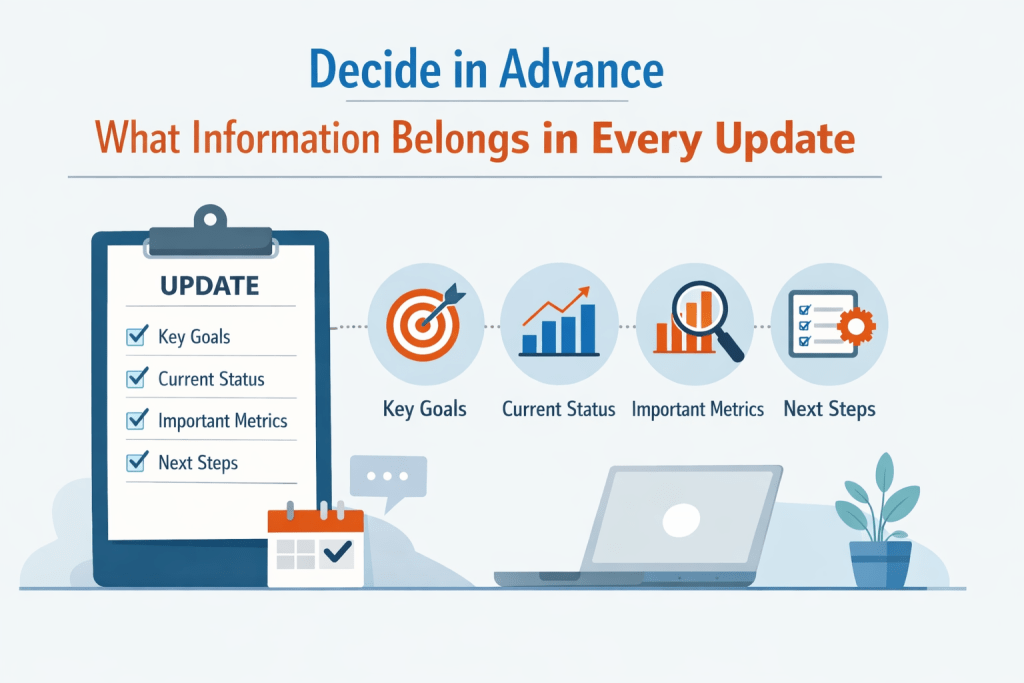
The other reason communication breaks down is inconsistency. One day the update is about food, the next it is about medication, the next it is about how tired you are — and then an appointment detail gets missed because the message had no structure. That is a formatting problem, not a character problem. Use the same six fields and your siblings will learn to read them at a glance.
- Health status. What changed physically today? “Blood pressure normal.” “Dizzy this morning.” “New swelling in the ankle.”
- Eating and hydration. “Ate breakfast and lunch, skipped dinner.” “Drank very little until evening.” “Needed reminders to finish meals.”
- Mood and thinking. “Calm and social.” “More anxious than usual.” “Confused about the day of the week.” “Seemed lonely after dinner.”
- Mobility and safety. “Walked to the bathroom with help.” “Unsteady this morning.” “Forgot the walker twice.” “No falls today.”
- Appointments, medications, logistics. “Follow-up Thursday.” “Refill requested for the blood pressure medication.” “Aide arriving later this week.”
- Next step. “No action needed.” “Please confirm who can join Friday’s call.” “I need one person to pick up medication tomorrow.”
If you are still deciding how often to send anything at all, a written daily and weekly check-in plan is worth building before you build the update format — the rhythm and the template work together.
Lead with facts, then patterns, then what worries you
One sentence can trigger five different reactions. “Mom seemed off today” sounds minor to one sibling and frightening to another. “Dad is doing worse” may be emotionally accurate but too broad to act on. General statements leave room for projection, and projection is where most arguments start.
So instead of “Mom is declining fast and I’m really worried,” try: “Mom slept most of the afternoon, ate only a few bites at lunch, and seemed confused about where she was. This is the third day this week her appetite has been low. I’m concerned it may be more than fatigue, so I’ll mention it to the doctor tomorrow.”
Facts, then the pattern, then your interpretation. That order is calmer and more credible, and it makes it much harder for anyone to accuse you of exaggerating or underreacting. It does not mean hiding your feelings — include them, especially when you need support. It just means starting with what you actually observed.
Agree on who responds, when, and how
A hidden source of exhaustion is not what gets shared but what happens afterward. One sibling calls immediately. One sends five follow-up questions. One goes quiet for three days and then criticizes the plan. A few agreed-upon rules protect everyone’s energy without being controlling.
- Routine updates get an acknowledgment, not a thread. “Thanks for the update.” “Glad today was steady.” That is enough.
- Important updates get a deadline when you need input. “Please reply by tonight if you have concerns.” “Let me know by 6 p.m. if you can help with transport.”
- Urgent updates use one channel only. One group text, one call chain, one sibling relaying details, one point person for the hospital. This is what stops duplicate calls and mixed messages.
- Disagreements move out of text. Texting is efficient for information and terrible for conflict. Schedule a call instead.
You will also need language for the moments when a simple update turns into a debate. “I’m sharing this so everyone stays informed.” “No response needed unless you see something I missed.” “This is an update, not a decision request.” “We can discuss bigger concerns at the family check-in.” These feel blunt the first few times, especially if you are used to over-explaining, but they keep useful communication from becoming constant negotiation. Setting that kind of limit is part of holding caregiving boundaries generally.
Keep a decision note so the same argument does not repeat
In many families the same conversation happens over and over because nobody remembers exactly what was decided or why. After any meaningful decision, write down five things: what was decided, why, who was present or informed, what happens next, and when it will be reviewed again.
For example: We agreed on March 10 to stop Dad from driving for now, because of two recent confusion episodes and the doctor’s concern about reaction time. Sarah will handle grocery trips this week. We will revisit transportation after the neurology appointment on March 24.
Two lines like that create a shared reference point, and they let a sibling who was not in the room feel informed rather than excluded. In fast-moving situations, memory is not enough.
Know whether you have an information gap or a value conflict
Not all sibling disagreements are the same, and the difference determines what will help.
Information gaps can be closed with clearer facts: one sibling did not understand what the doctor said, someone did not realize how often the falls have been happening, the distant sibling has not seen the recent decline, a side effect was never explained. Better updates, appointment notes, or a shared care log usually resolve these.
Value conflicts do not budge when you add facts. One sibling prioritizes independence even as risk rises; another prioritizes safety even if autonomy shrinks. One wants aggressive treatment; another wants comfort and simplicity. One believes family should do all the care personally; another thinks paid help is appropriate. These need a deliberate conversation about priorities, your parent’s own wishes, and which trade-offs the family is genuinely willing to accept.
If it is an information issue, share better context. If it is a values issue, stop pretending one more text message will fix it. The National Institute on Aging has useful guidance on sharing caregiving responsibilities when families are dividing the work.
Attach a specific ask to the update
Siblings say “let me know how I can help,” but you rarely have the energy to work that out in the moment. So updates go out, sympathy comes back, and nothing changes. Pair the update with one concrete request instead.
- Mom has a cardiology appointment Thursday. Can someone call afterward and take notes while I drive?
- Dad has been eating less. Could one of you find three high-calorie meal ideas and send them to me?
- We need to decide on extra home care hours. Please review the agency options before Sunday.
- I’m running low this week. Can someone take over the prescription refill calls?
General updates create general sympathy. Specific updates paired with a task create actual help.
Hold a fifteen-minute weekly reset
Even a good daily rhythm drifts. Once a week, take fifteen or twenty minutes together to cover what changed, what stayed stable, what is coming up, what decisions are approaching, and whether the update system itself is still working.
That last question matters more than it sounds. It is where someone can say the updates are arriving at random times, or that one sibling feels out of the loop while another is drowning in detail, or that the tasks are not divided fairly. The reset turns those from personal complaints into system fixes — “this process is not working” instead of “you are doing this wrong.”
Start with three sentences this week
You do not have to roll out all of this at once. Send one message to your siblings tonight: here is the format I’ll use, here is how often I’ll send it, and here is what counts as urgent. Then send tomorrow’s update in the six fields and let the pattern do the work. The system that survives is the one you can keep up on a bad week, not the one that looks best on paper.
Try JoyCalls Free
No app or new device needed. Start with a free 7-day trial.
If it would help to have someone check in with your parent every day so your updates start from something real rather than guesswork, JoyCalls makes a friendly phone call at the times you choose and sends you a short summary afterward. Learn how JoyCalls works or call 1-415-569-2439 to hear a sample call.

Ana Avila is a writer who covers the everyday challenges of supporting older adults: staying connected, checking in regularly, remembering medications, maintaining routines, and helping family caregivers stay informed without feeling overwhelmed.
Her work for the JoyCalls blog focuses on the practical side of aging at home and family caregiving. She writes about loneliness and social connection, wellness check-ins, medication reminders, memory support, caregiver stress, aging in place, and the ways AI companions and voice technology can provide consistent support between visits and phone calls. Most of her articles start with a simple question: what is a family caregiver worried about today, and what practical steps can make that situation easier?
Ana writes for people who are busy and often juggling caregiving with work, family, and their own responsibilities. Her guides are designed to be easy to understand, useful right away, and grounded in the realities of caring for an aging parent or loved one. She avoids jargon, explains technology in plain language, and is careful not to oversell what any tool, including AI, can do.
A consistent theme in her writing is that technology should strengthen human connection rather than replace it. The measure of a good system, in her view, is simple: does an older adult feel less alone, does a family member have greater peace of mind, and does a caregiver have more time and energy for the moments that matter most.