


Are you finding it hard to care for your aging parents from far away? Many adult children face this challenge. They balance their own lives with making sure their parents get the care they need.
Long-distance caregivers are key in managing money, arranging care, and offering emotional support. The National Institute on Aging says they help with many tasks. This includes managing medicines and working with healthcare providers.
Finding the right caregiving solutions can feel overwhelming. But, there are resources to help. By looking into elderly care services and support groups, you can make sure your loved ones get the care they need.
Key Takeaways
- Understand the challenges and importance of long-distance caregiving.
- Learn about the various roles that caregivers play in supporting their loved ones.
- Discover resources available to help manage caregiving responsibilities.
- Explore options for elderly care and support networks.
- Find ways to stay connected with your loved ones and provide emotional support.
The Unique Challenges of Long-Distance Caregiving
Long-distance caregiving is tough. It deals with distance and emotional stress. Caregivers must find new ways to help from afar.
Geographical Barriers to Hands-On Care
One big problem is not being able to help in person. Simple tasks like grocery shopping or managing meds are hard when you’re far away. Long-distance caregivers use others or tech to help.
| Challenge | Impact | Potential Solution |
|---|---|---|
| Geographical Distance | Limited ability to provide hands-on care | Local support network, technology |
| Emotional Strain | Stress, guilt, anxiety | Support groups, counseling |
Emotional Impact on Both Caregivers and Parents
The emotional side of long-distance caregiving is big. Caregivers feel guilty, stressed, and anxious. Parents might feel left out or miss being independent.
It’s key for caregivers to keep talking and involve parents in choices. This helps lessen these feelings.

Assessing Your Parents’ Needs From Miles Away
Long-distance caregiving needs a careful plan. You must watch for warning signs and do remote checks. It’s important to spot issues early.
Recognizing Warning Signs That Require Attention
It’s key to know when your parents need more help. Look for signs like unpaid bills, changes in appearance, or decreased mobility. These signs mean they might need more care.
Conducting a Comprehensive Remote Assessment
To assess your parents’ needs from afar, gather lots of info. Use video calls to ask about their day. Also, talk to their neighbors or friends.
Try JoyCalls Free
No app or new device needed. Start with a free 7-day trial.
Technology like remote monitoring systems can help too. It keeps you updated on their health.
When to Arrange Professional Evaluations
At times, you’ll need a pro to check on your parents. This might mean getting a geriatric care manager or a doctor to visit. A pro can give you important info to help decide their care.
| Assessment Method | Description | Benefits |
|---|---|---|
| Regular Video Calls | Schedule regular video calls to check in on your parents | Helps maintain emotional connection and monitor their condition |
| Remote Monitoring Systems | Use technology to monitor their daily activities and health | Provides real-time data and alerts you to potential issues |
| Professional Evaluations | Hire professionals to assess their health and living conditions | Offers expert insights and helps in making informed care decisions |
“The key to successful long-distance caregiving is being proactive and staying informed about your parents’ needs. By recognizing warning signs, conducting remote assessments, and seeking professional evaluations when necessary, you can ensure they receive the care they deserve.”
Developing an Effective Remote Caregiving for Seniors Strategy
Creating a good remote caregiving plan is key for helping your aging parents from afar. You need to set clear goals, make a schedule that works for everyone, and make sure your parents have a say.
Setting Realistic Goals and Expectations
Setting realistic goals is key for a good remote caregiving plan. You must know what your parents need and what you can do. For example, you might aim to call them every day or week, based on their needs and your schedule. Realistic goals help prevent burnout and ensure consistent care.
Creating a Flexible Care Schedule That Works Across Time Zones
A flexible care schedule is crucial for managing care across different time zones. You might work with local caregivers, family, or use technology to stay in touch. Using video calls or messaging apps can help keep you connected and ensure regular check-ins. Here’s an example schedule:
| Time Zone | Daily Check-in | Weekly Review |
|---|---|---|
| EST | 8:00 AM | Sunday |
| PST | 5:00 AM | Sunday |
Involving Your Parents in the Decision-Making Process
It’s important to involve your parents in decisions about their care. Talk openly about their needs, likes, and worries. This way, the care plan fits their needs and respects their freedom. Regular talks help spot any changes in their needs or wishes, so you can adjust the plan as needed.

Building a Remote Care Command Center for Your Aging Parent
When you live far away from an aging parent, the hardest part is often not love, effort, or concern. It is coordination. One person knows about the doctor’s appointment. Another sibling paid the electricity bill. A neighbor noticed that your parent looked tired. Your parent mentioned a new prescription during a quick phone call, but nobody wrote it down. Then, when something urgent happens, everyone starts searching through old texts, emails, voicemails, and memory.
That is why long-distance caregiving needs more than occasional check-ins. It needs a simple care command center.
A care command center is not a complicated system. It is one organized place where the family keeps the most important information, decisions, responsibilities, and next steps. It can be a shared digital folder, a printed binder in your parent’s home, a spreadsheet, a notes app, or a combination of all three. The format matters less than the habit: everyone involved in care should know where to look, what to update, and what to do next.
For seniors, this kind of system is especially helpful because it reduces repeated questioning, confusion, and last-minute pressure. For adult children, it reduces panic and makes remote caregiving more predictable. For local helpers, doctors, neighbors, and hired caregivers, it gives clear instructions instead of vague expectations. The National Institute on Aging describes long-distance caregiving as work that can include managing money, arranging in-home care, supporting a primary caregiver, and planning for emergencies, which is exactly why a centralized system becomes so useful.
Start With a One-Page Care Snapshot
The first part of your care command center should be a one-page care snapshot. Think of this as the “start here” page for anyone who needs to understand your parent’s situation quickly.
Try JoyCalls Free
No app or new device needed. Start with a free 7-day trial.
This page should not be a full medical history or a long family explanation. It should be clear enough that a sibling, neighbor, caregiver, or emergency contact can read it in two minutes and understand the basics.
Include your parent’s full name, date of birth, address, preferred phone number, nearby emergency contact, primary doctor, preferred hospital, pharmacy, major medical conditions, allergies, mobility needs, hearing or vision limitations, and any communication preferences. For example, if your mother gets anxious when too many people call in one day, write that down. If your father does not answer unknown numbers, note that too. If your parent has memory issues and responds better to short, calm instructions, include that as well.
Also add a short line called “What matters most to them.” This may sound small, but it is important. Write something like, “Wants to stay at home as long as safely possible,” or “Prefers female caregivers,” or “Does not want medical decisions discussed in a rushed way.” This reminds everyone that care is not just about tasks. It is about preserving dignity, choice, and comfort.
Keep this care snapshot updated every month or whenever something changes. A care snapshot that is six months old can create more confusion than clarity. If a medication changes, a new diagnosis is added, or a caregiver schedule changes, update the page immediately.
A good rule is this: if someone had to step in tomorrow, would this page help them act calmly? If the answer is yes, your command center is already doing its job.
Create a Shared Decision Log
Long-distance caregiving often becomes stressful because decisions happen in scattered conversations. One sibling agrees to look into transportation. Another says they will call the doctor. Your parent says they might consider help at home, but later changes their mind. A few weeks pass, and nobody is sure what was decided.
A shared decision log solves this problem.
This does not need to be formal. It can be a simple table with five columns: date, topic, decision made, person responsible, and follow-up date. For example:
Date: March 8
Topic: Missed two medication doses this week
Decision: Ask pharmacy about blister packs
Person responsible: Anita
Follow-up date: March 12
This small habit prevents repeated arguments and forgotten promises. It also helps you track patterns. If the same topic keeps returning every few weeks, that is a sign the current solution may not be strong enough.
For example, if your family keeps discussing grocery problems, the issue may not be groceries alone. It may be transportation, fatigue, memory, appetite, or difficulty cooking. If the same bill keeps getting paid late, the issue may not be forgetfulness alone. It may be vision trouble, online banking confusion, financial anxiety, or reduced executive function.
The decision log also protects your parent from feeling like things are being decided behind their back. When appropriate, include them in the decision and record their preference. Use language such as, “Dad prefers not to have a caregiver in the morning, so we will first try afternoon help twice a week.” This shows respect and keeps the family aligned with the senior’s wishes.
Separate Urgent, Important, and Routine Tasks
One major mistake in remote caregiving is treating every concern with the same level of urgency. This creates stress for everyone. A missed call, a delayed bill, a medication question, and a fall risk should not all trigger the same response.
Your care command center should divide tasks into three categories: urgent, important, and routine.
Urgent tasks require same-day action. These include no answer after repeated check-ins, sudden confusion, chest pain, shortness of breath, a fall, signs of stroke, missed critical medication, a home safety issue, or a caregiver not arriving when your parent depends on them.
Important tasks need attention soon, but not necessarily within minutes. These include scheduling appointments, reviewing lab results, arranging transportation, updating legal documents, fixing home repairs, discussing new care needs, or following up after a medication change.
Routine tasks keep life stable. These include weekly grocery orders, social calls, bill review, calendar updates, refill checks, house cleaning schedules, and companionship routines.
Write down examples for each category based on your parent’s actual situation. This is important because every senior is different. A missed meal may be routine for one person but urgent for another if they have diabetes or are frail. A missed evening call may be harmless for one parent but serious for another who lives alone and has fall risk.
Once you define the categories, decide who handles each one. For example, a neighbor may be the first person to check if your parent does not answer. A sibling may handle doctor calls. Another family member may manage bills. A hired caregiver may report changes in eating, hygiene, or mood.
This prevents the common problem where everyone assumes someone else is taking care of it.
Build a Weekly Care Review Habit
A care command center only works if someone reviews it regularly. Otherwise, it becomes another folder nobody opens.
Set a weekly care review. Keep it short. Thirty minutes is enough for most families. The goal is not to discuss every worry. The goal is to review what changed, what needs action, and what can wait.
Use the same structure every week:
What changed this week?
What went well?
What needs follow-up?
What is becoming harder for our parent?
What can we simplify?
Who is responsible for the next step?
This review can happen alone if you are the only caregiver, or with siblings and local helpers if multiple people are involved. If family discussions often become emotional, keep the agenda written and practical. Start with facts before opinions.
For example, instead of saying, “Mom is not managing well,” say, “Mom missed two meals, canceled one appointment, and told the caregiver she felt dizzy on Tuesday.” Facts make it easier to decide what support is needed.
This weekly review is also a good time to look for slow changes. Many caregiving problems do not appear suddenly. They build quietly. A parent starts skipping laundry. Then meals become simpler. Then the house becomes cluttered. Then they stop going out. If nobody tracks these small changes, the family may only notice when there is a crisis.
A weekly review helps you respond earlier, with smaller and kinder interventions.
Make a “Who Handles What” Map
Long-distance caregiving can create resentment when responsibilities are unclear. One adult child may feel they are doing everything. Another may want to help but does not know what is needed. A local relative may feel burdened because distance makes them the default person for every small task.
A “who handles what” map makes responsibilities visible.
List the main care areas: medical appointments, medications, finances, home maintenance, meals, transportation, emotional support, technology, emergency response, insurance, legal paperwork, and caregiver coordination. Then assign a primary person and a backup person for each area.
The backup person matters. Caregiving systems fail when only one person knows how everything works. If the primary caregiver gets sick, travels, becomes overwhelmed, or misses a message, someone else should be able to step in.
This map should also include what your parent still manages independently. Do not take over everything too early. Seniors often feel a painful loss of control when family members suddenly begin managing their life. The goal is not to remove independence. The goal is to support independence safely.
For example, your parent may still want to choose groceries, speak directly with the doctor, manage small expenses, or decide their weekly social plans. Respect that. Put it in the map. Write, “Dad handles his own grocery choices; family only helps with ordering and delivery.” This protects autonomy while still offering practical support.
Keep Documents Organized Before You Need Them

Important documents are easiest to organize before a crisis. Once a parent is in the hospital, confused, or suddenly unable to communicate, the family may struggle to find insurance cards, medication lists, legal forms, doctor contacts, or financial details.
The National Institute on Aging recommends having important documents in one place because preparation can help wishes be honored and reduce the burden on loved ones.
Your care command center should include a document checklist. This may include identification, insurance cards, Medicare or health plan information, medication list, allergies, doctor contacts, pharmacy details, advance directive, healthcare proxy, power of attorney, will or trust information, funeral or end-of-life preferences if your parent is comfortable discussing them, banking contacts, mortgage or rent information, utility providers, and passwords or access instructions where appropriate.
Be careful with sensitive information. Do not casually share financial passwords or private medical details with every helper. Keep highly sensitive documents in a secure place, and share access only with people your parent trusts and has legally authorized.
It is also wise to keep both digital and physical copies. A digital folder helps long-distance family members. A printed binder helps local caregivers, paramedics, or neighbors when technology is not available. The printed version does not need to include every private document. It can include emergency contacts, medication list, allergies, doctors, pharmacy, and basic care instructions.
Review this document folder at least twice a year.
Set Up Permission Before There Is a Problem
Many adult children assume they can call a doctor, hospital, pharmacy, or insurance provider and get information about their parent’s care. In reality, privacy rules and provider policies may limit what can be shared unless the right permissions are in place.
In the U.S., HHS explains that healthcare providers may share relevant information with family or friends involved in a patient’s care in certain situations, but consent, professional judgment, and circumstances matter. Because rules can vary by provider and situation, it is better to prepare early.
Ask your parent which family members they want involved in medical conversations. Then help them complete the proper forms with each doctor’s office, hospital system, pharmacy, insurance company, and care provider. Do not assume one form covers everything. Many organizations have their own authorization process.
Also ask your parent how they want information shared. Some seniors are comfortable with adult children joining appointments. Others want privacy unless there is a serious issue. Some want one child to manage medical details and another to handle finances. These preferences should be written down.
This conversation should be framed respectfully. Instead of saying, “We need access because you might not manage,” say, “I want to make sure that if you ever need help, I can speak to the right people quickly and follow your wishes.”
That wording keeps the focus on support, not control.
Create an Escalation Plan for Small Problems Before They Become Big Ones

A good remote caregiving system does not wait for emergencies. It catches small problems early and gives the family a clear next step.
Create an escalation plan for common situations. For example:
If parent misses one routine call: try again after 30 minutes.
If parent misses two calls and this is unusual: contact neighbor or local helper.
If neighbor cannot reach them: request a wellness check or contact emergency services, depending on risk level.
Use the same approach for other concerns. If your parent forgets one dose of a non-critical medication, note it and watch for a pattern. If they miss repeated doses, call the doctor or pharmacist. If they are confused about what they took, involve a local helper immediately and consider safer medication packaging.
If groceries are low once, place an order. If groceries are often untouched, ask whether appetite, depression, dental problems, cooking difficulty, or memory may be involved.
The point is to avoid both extremes: ignoring early warning signs or overreacting to every small issue. A written escalation plan helps you respond with calm consistency.
FEMA’s preparedness guidance for older adults emphasizes assessing needs, making a plan, and engaging a support network, which is the same principle that should guide everyday caregiving escalation.
Include Your Parent in the System, Not Just Around It
A care command center should not make your parent feel managed like a project. It should help them feel safer, heard, and less alone.
Whenever possible, show your parent the system. Explain that it is there to reduce confusion, not to take over. Ask what they want included. Ask what they do not want shared. Ask which routines feel helpful and which feel intrusive.
Some seniors may resist at first because they fear losing independence. That fear is valid. A parent who has managed a household, raised children, worked for decades, and made their own decisions may not welcome a shared folder or family care plan. So start small.
You might say, “Let’s just make one emergency page first, so if anything happens, people know who to call.” Once that feels comfortable, add the medication list. Later, add appointment notes or household contacts.
The best system is one your parent can accept. A perfect system that makes them feel disrespected will not last. A simple system that they trust is far more useful.
Keep the System Simple Enough to Maintain
The biggest risk with any caregiving system is making it too complicated. If updating it feels like work, people will stop using it.
Use plain language. Avoid too many tabs, colors, folders, or apps. Keep the most important information easy to find. If you use a spreadsheet, make the first tab the care snapshot. If you use a binder, put emergency information in the front. If you use a shared folder, name files clearly.
A simple naming system helps. Use names like “Medication List – Updated May 2026,” “Doctor Contacts,” “Emergency Plan,” “Caregiver Schedule,” and “Decision Log.” Avoid vague names like “Mom stuff” or “Important.”
Set one person as the system owner. This does not mean they do all the caregiving. It means they make sure the information stays current. Without an owner, shared systems often become messy.
Finally, remember that the command center should serve the relationship, not replace it. The goal is not to turn caregiving into administration. The goal is to remove avoidable confusion so your conversations with your parent can be warmer, calmer, and more human.
When the practical details are organized, you have more emotional space to ask better questions: How are you feeling today? What would make this week easier? Is there anything you are worried about but have not said out loud? What would you enjoy doing this weekend?
That is the real value of a remote care command center. It helps you manage the details from far away so your parent still feels personally cared for, not simply monitored.
Creating a Local Support Circle Without Taking Away Your Parent’s Independence
When you live far away from an aging parent, one of the most important things you can build is not an app, device, or schedule. It is a reliable local support circle.
A local support circle is a small group of trusted people near your parent who can offer light, practical, and respectful support when needed. This may include neighbors, relatives, friends, faith community members, building staff, a housekeeper, a pharmacist, a local volunteer, a paid caregiver, or a geriatric care professional.
The goal is not to surround your parent with people who constantly monitor them. That can feel intrusive and disrespectful. The goal is to create a gentle network of people who can notice small changes, provide occasional help, and step in quickly when something does not feel right.
This matters because long-distance caregiving often becomes stressful when one adult child tries to manage everything from afar. You may be able to call daily, order groceries, schedule appointments, and pay bills online, but you cannot smell spoiled food in the fridge, notice unopened mail piling up, see whether your parent is walking more slowly, or check whether the home feels unusually warm or cold. A local support circle helps fill that gap.
The best support circle is built before there is a crisis. If you wait until your parent falls, becomes confused, misses appointments, or stops answering the phone, everyone will be under pressure. But if you build relationships early, people already know what to do, who to call, and how to help without creating panic.
Start With Your Parent’s Permission and Comfort Level
Before contacting neighbors, relatives, friends, or local helpers, talk to your parent first. This step is essential. Even if your intentions are loving, your parent may feel embarrassed, watched, or overruled if they find out you have been asking people to check on them without their knowledge.
Start the conversation gently. You might say:
“I know I live far away, and I do not want you to feel like I am trying to control things. I also want both of us to feel more relaxed. Would you be comfortable if we identified one or two nearby people who could help with small things if needed?”
This framing matters. You are not saying, “You cannot manage.” You are saying, “Let’s make life easier and safer.”
Ask your parent who they already trust. Their answer may surprise you. They may feel more comfortable with a neighbor than a relative. They may prefer a longtime friend over someone in the family. They may trust a local pharmacist, religious leader, building manager, or community volunteer. Respect their preferences as much as possible.
Also ask what kind of help they are comfortable receiving. Some seniors are happy to have a neighbor bring in packages but do not want that neighbor entering the home. Some are comfortable with someone checking after a storm but not with weekly visits. Some welcome meal drop-offs but dislike people commenting on their housekeeping.
Write these boundaries down. A support circle only works well when it protects both safety and dignity.
Choose People for Specific Roles, Not General Responsibility
A common mistake is asking someone, “Can you keep an eye on Mom?” That sounds simple, but it is actually vague and unfair. The person may not know what “keep an eye” means. Are they supposed to visit? Call? Report concerns? Handle emergencies? Watch for health changes? Drop everything if something happens?
Instead, assign small and specific roles.
For example, one neighbor might be the “quick visual check” person. If your parent does not answer the phone and you are concerned, this neighbor can knock on the door or check whether lights are on.
A nearby relative might be the “appointment backup” person. They do not manage healthcare, but they can drive your parent to an important visit if transportation falls through.
A friend from church or a community group might be the “social connection” person. They can invite your parent to events, notice if they stop attending, and encourage gentle engagement.
A housekeeper might be the “home condition observer.” They are not a medical caregiver, but they may notice spoiled food, unusual clutter, laundry problems, or a change in your parent’s energy.
A pharmacist might be the “medication pattern” contact. They may notice if prescriptions are not being picked up on time or if your parent seems confused about refills.
The smaller the role, the more likely people are to say yes and follow through. Most people are willing to help when the request is clear, respectful, and limited.
Build a Two-Layer Support Circle
Think of your parent’s support network in two layers.
The first layer is the everyday circle. These are people who can provide light, routine support. They may help with small tasks, friendly visits, package pickup, occasional rides, or basic observation. They are not responsible for medical decisions or crisis management.
The second layer is the escalation circle. These are people or services you contact when something more serious happens. This may include a nearby sibling, a local care manager, a home care agency, your parent’s doctor, building security, emergency services, or a trusted neighbor who has permission to enter the home.
Keeping these two layers separate avoids confusion. Your parent’s friend should not feel responsible for handling a medical emergency. A neighbor should not be expected to judge whether a symptom is serious. A local volunteer should not be placed in the role of family decision-maker.
Create a simple list with both layers.
For the everyday circle, include names, phone numbers, relationship to your parent, what they have agreed to help with, and best times to contact them.
For the escalation circle, include who to call for urgent concerns, who has a key or access code if applicable, which hospital your parent prefers, and who has legal authority to make decisions if your parent cannot.
Keep this list in your care command center and update it regularly.
Use “Observation Requests” Instead of “Surveillance”
Words matter. Many older adults dislike the idea of being monitored. They may fear that every small mistake will be reported to their children. They may worry that accepting help means the family will push them into assisted living or take away control.
That is why you should use observation requests carefully and respectfully.
Do not ask local helpers to spy on your parent. Ask them to notice practical changes that could affect safety or comfort.
For example, instead of saying, “Tell me if Dad is acting weird,” say, “If Dad seems unusually confused, very weak, or unable to follow a normal conversation, please let me know.”
Instead of saying, “Check whether Mom is keeping the house clean,” say, “If you notice anything that could affect safety, like strong odors, spoiled food, blocked walkways, or pests, please tell me.”
Instead of saying, “Watch whether she is taking care of herself,” say, “If she seems to be wearing the same clothes for several days, missing meals, or avoiding usual activities, I would appreciate a heads-up.”
This approach keeps the focus on safety, not judgment.
It also helps local helpers know what matters. Most people are not trained caregivers. They may not recognize subtle changes unless you give them clear examples.
Create a Simple “When to Contact Me” Guide
People in your parent’s local circle should not have to guess when to call you. Some may call over every small thing, which can become stressful. Others may hesitate because they do not want to interfere.
A short “when to contact me” guide solves this.
Share a simple list with trusted local helpers. It might say:
Please contact me the same day if:
My parent does not answer the door or phone when expected.
They seem suddenly confused, disoriented, very weak, or unusually upset.
They mention falling, fainting, chest pain, breathing trouble, or severe dizziness.
You notice spoiled food, no groceries, or signs they have not eaten.
There is a home safety issue, such as no heat, no air conditioning, water leaks, electrical problems, or blocked walkways.
They miss an important appointment and cannot explain why.
They say they are scared, lonely, or overwhelmed.
They ask you for help with money, legal papers, medication, or anything that feels beyond your comfort level.
Also explain what does not require immediate contact. For example, if your parent complains about being tired after a busy day but otherwise seems fine, that may simply be noted. If they decline one social invitation, that may not be urgent. If they forget a name once, that may not require action unless it becomes a pattern.
The goal is balanced awareness. You want to know about meaningful changes without turning every ordinary aging moment into an emergency.
Make Helping Easy for Local People
Even kind people may stop helping if every request becomes complicated. Respect their time. Make it easy for them to support your parent.
If a neighbor agrees to check in after storms, give them your phone number, your parent’s number, and clear instructions. Do not expect them to search for information.
If someone occasionally drives your parent, provide appointment times, addresses, parking details, and whether your parent needs help walking inside.
If a friend brings meals, share dietary restrictions, food preferences, and whether your parent can reheat food safely.
If a relative visits once a month, give them a short checklist: look at the fridge, check mail pile-up, ask about prescriptions, look for tripping hazards, and notice mood or mobility changes.
You can also reduce the burden by rotating small tasks. One person should not become the unpaid default helper for everything. If one neighbor always helps with packages, avoid also asking them to handle transportation, emergency checks, and errands. Long-term support works best when responsibilities are light and shared.
Whenever someone helps, acknowledge it. A short thank-you message, holiday card, small gift, or update can go a long way. People are more likely to stay involved when they feel appreciated and respected.
Protect Your Parent From Too Many People and Too Much Noise
A support circle should make your parent’s life calmer, not busier. Too many helpers can become overwhelming. Your parent may feel like people are constantly calling, visiting, asking questions, or reporting back to the family.
Be selective. A small group of three to five reliable people is often better than a large group of casual contacts.
Also coordinate communication. If five people call your parent on the same day to ask the same health question, it can feel exhausting. Decide who will speak to your parent about specific topics. One person might handle medical follow-up. Another might manage social visits. Another might coordinate groceries or household help.
Try not to turn every conversation into a care interview. Your parent deserves normal human connection, not only questions about medication, meals, and symptoms. Encourage local friends and family to talk about ordinary life: grandchildren, memories, hobbies, sports, weather, books, neighborhood news, or upcoming events.
Support should feel like community, not inspection.
Use Local Visits to Gather Better Information
When someone in the support circle visits your parent, ask them to observe gently rather than interrogate.
A useful visit can reveal much more than a phone call. The visitor may notice whether your parent gets up from a chair safely, whether they are losing weight, whether there are unopened bills, whether the home is too cluttered, whether the refrigerator has fresh food, or whether your parent seems withdrawn.
But again, this should be done respectfully. The visitor should not walk through drawers, inspect private spaces, or report every personal detail unless there is a safety concern or your parent has agreed.
Give visitors a simple mental checklist:
How does your parent look compared with last time?
Are they moving safely?
Do they seem alert and engaged?
Is the home reasonably safe to walk through?
Are there signs of missed meals, spoiled food, or poor hygiene?
Is mail piling up?
Are they expressing unusual fear, sadness, confusion, or frustration?
Did they mention any pain, dizziness, falls, or new concerns?
After the visit, ask for a short update. Keep it factual. For example: “She seemed cheerful, but I noticed she was holding the wall while walking to the kitchen,” or “He had plenty of food, but there were three unopened letters from the insurance company.”
Facts help you decide what action is needed without exaggeration or blame.
Know When the Support Circle Is No Longer Enough
A local support circle is helpful, but it is not a replacement for professional care when your parent’s needs increase. One of the most important parts of long-distance caregiving is knowing when informal help is no longer sufficient.
Watch for signs that your parent may need more structured support. These may include repeated falls, missed medications, frequent confusion, poor nutrition, unpaid bills, unsafe driving, worsening hygiene, isolation, wandering, caregiver burnout in a local family member, or repeated emergency calls.
If these issues become patterns, do not simply add more favors from neighbors or friends. That can put too much pressure on people who are not trained, paid, or legally responsible. It can also delay the right level of care.
At that point, consider a professional assessment, in-home care, adult day programs, transportation services, meal support, medication management, or a geriatric care manager. The right choice depends on your parent’s health, finances, preferences, and local resources.
This conversation can be sensitive. Your parent may hear “more help” as “less independence.” Reframe it carefully. You might say:
“I want you to stay in control of your life for as long as possible. The right support may actually help you keep doing that.”
This is often true. A few hours of weekly help may prevent bigger disruptions later. Meal support may prevent weakness. Transportation help may keep your parent socially active. Medication support may reduce hospital risk. In-home assistance may help your parent remain at home longer.
Keep Reviewing the Circle as Needs Change
Your parent’s support circle should not stay frozen. People move, become busy, develop health problems of their own, or become less available. Your parent’s needs may also change.
Review the support circle every few months. Ask:
Is each person still willing and able to help?
Are we asking too much of anyone?
Has our parent become more comfortable with help, or more resistant?
Are there new neighbors, friends, relatives, or community resources available?
Do we need to add professional support?
Are emergency contacts still accurate?
Does everyone know what to do if something changes?
Also ask your parent how they feel about the arrangement. Do they feel supported? Crowded? Embarrassed? Relieved? Ignored? Their emotional response matters. A care system that looks good on paper but feels uncomfortable to the senior may need adjustment.
Remote caregiving works best when support grows gradually and respectfully. Start with small, acceptable steps. Build trust. Keep roles clear. Protect your parent’s privacy. Avoid overloading local helpers. And always remember that the purpose of the circle is not to control your parent’s life from a distance. It is to help them live with more safety, dignity, and connection while you remain lovingly involved, even from far away.
Communication: The Foundation of Long-Distance Care
Looking after aging parents from far away starts with good communication. Caregivers need a strong plan to keep in touch and solve problems fast.

Establishing Consistent Check-in Routines
It’s important to regularly check in with aging parents. Find a schedule that works for both of you. This can be daily, weekly, or something in between.
This routine helps both the caregiver and the parent feel secure and stable.
To set up a good check-in routine, think about these steps:
- Choose a reliable way to talk (phone, video call, messaging app)
- Set a specific time and day that works for both
- Be flexible and change the routine if needed
Active Listening Techniques for Meaningful Remote Conversations
Active listening is key for good talks, even when you’re far apart. Caregivers should really listen to their parents’ worries, needs, and feelings. This means giving them your full attention, asking questions to make sure you understand, and showing you care.
| Active Listening Techniques | Benefits |
|---|---|
| Giving undivided attention | Makes the parent feel heard and understood |
| Asking clarifying questions | Ensures understanding of the parent’s needs and concerns |
| Showing empathy | Strengthens the bond between caregiver and parent |
Navigating Difficult Topics When You Can’t Be There in Person
Talking about hard topics can be tough, even from a distance. Caregivers should be gentle and caring when discussing these topics. Pick the right time and way to talk. Be honest but also think about how your words might affect your parent.
By focusing on communication and using these tips, long-distance caregivers can really help their aging parents. They can tackle problems as they come up.
Essential Technology Solutions for Staying Connected
Technology is key for families caring for aging parents from afar. The right tools help caregivers stay in touch, check on their parents, and support them remotely.
Video Calling Platforms for Regular Visual Check-ins
Video calling has changed long-distance caregiving. It lets families see each other face-to-face. Zoom, Skype, and FaceTime make it easy for regular check-ins.
- Zoom: Offers high-quality video and audio, screen sharing, and recording capabilities.
- Skype: Provides free video calling, instant messaging, and screen sharing.
- FaceTime: Exclusive to Apple devices, offering seamless video calling between family members.
JoyCalls: The Specialized Solution for Connecting with Aging Parents
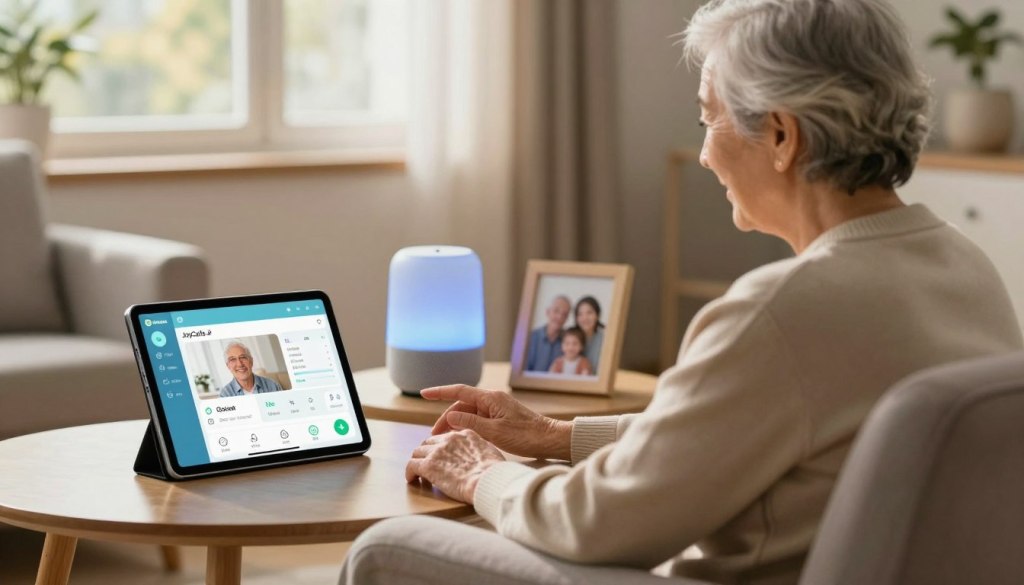
JoyCalls is a special platform for connecting with aging parents. It’s easy to use and lets seniors stay in touch with loved ones. Caregivers can schedule calls, send messages, and share photos and videos.
To start with JoyCalls, caregivers can visit the JoyCalls Sign Up Page. There, you can create an account and connect with their parents. JoyCalls brings peace of mind, knowing parents are safe and connected.
How to Help Parents Overcome Technology Barriers
Technology can be a challenge for seniors who are not tech-savvy. Caregivers should start with simple devices and platforms. It’s also important to offer ongoing support and training.
| Tip | Description |
|---|---|
| Start Simple | Begin with easy-to-use devices and platforms. |
| Ongoing Support | Provide regular training and assistance. |
| Patient Guidance | Be patient and encouraging as parents learn new technology. |
With the right technology and support, caregivers can keep in touch with aging parents. This ensures their well-being, even when they’re far apart.
Smart Home Technology for Remote Monitoring and Safety

Smart home tech lets long-distance caregivers keep an eye on their aging parents. This tech is key for caring for seniors, offering many ways to keep them safe and happy.
Smart home tech includes many devices and systems. They can be controlled and watched from afar. This gives aging parents more independence and support.
Medical Alert Systems and Fall Detection Devices
Medical alert systems and fall detection devices are very important. They help quickly respond to emergencies like falls or health crises. Caregivers get alerts right away, so they can act fast.
Key Features:
- Wearable devices or home-based systems
- Immediate alert in case of falls or emergencies
- 24/7 monitoring services
Medication Management Technology
Medication management tech helps seniors take their meds on time. It cuts down the chance of forgetting doses or taking too much. With remote control, caregivers make sure meds are taken right.
“Technology has made it possible for us to care for our parents from afar, with devices that remind them to take their medication and alert us if there’s an issue.” – Caregiver
Home Monitoring Systems That Respect Privacy
Home monitoring systems let caregivers check on their homes without invading privacy. They can spot odd activity, like a fall or someone unexpected. This alerts caregivers to take action.
| Feature | Description | Benefit |
|---|---|---|
| Motion Detection | Detects movement within the home | Alerts caregivers to potential issues |
| Sensor Alerts | Sends notifications for unusual activity | Provides timely intervention |
| Video Monitoring | Allows visual checks on the home environment | Enhances safety and security |
Smart home tech helps caregivers support their aging parents from afar. It ensures seniors get the care they need, even when caregivers can’t be there in person.
Building a Reliable Local Support Network
For those caring for older adults from afar, a local support network is key. It offers quick help, emotional support, and checks on your parents’ health.
Identifying Potential Helpers
First, find people in your parents’ area who can help. These might be:
- Neighbors who can watch over your parents
- Friends or family nearby
- Local groups or organizations
Building ties with these folks can be a safety net for your parents.
Coordinating with Neighbors and Friends
Neighbors and friends are crucial in your support network. Think about:
- Meeting them and sharing your story
- Asking if they can visit your parents sometimes
- Giving them your contact info and your parents’ needs
Working together can ease your worries and theirs.
Finding Trustworthy Local Service Providers
When looking for local services, focus on:
- Professional caregivers or home health aides
- Good housekeeping or lawn care services
- Reliable transportation services

Creating a strong local support network means your aging parents get the care they need. Even when you’re not there.
Managing Healthcare From a Distance
It’s important to make sure aging parents get the care they need from afar. This means using technology, getting help from local people, and talking well with doctors. Caregivers must act fast to avoid problems and get help when it’s needed.
Coordinating Medical Appointments Remotely
Setting up doctor visits for aging parents can be hard if you’re not there. But, with tech and local help, you can keep up with their health schedule.
- Use video calls to join appointments when you can.
- Find local helpers or family to go with your parents to doctor’s offices.
- Use one calendar for all your parents’ health visits and meds.
Telehealth Options for Regular Check-ups
Telehealth has changed how we care for our parents from far away. It lets us check in often without traveling.
Benefits of Telehealth:
- It’s easy and you don’t have to travel.
- You can catch problems early with regular checks.
- You can see more doctors than before.
Now, many doctors offer telehealth. This makes it easier for caregivers to keep their parents healthy.
Creating a System for Medication Adherence
It’s key to make sure aging parents take their meds right. This is even more important if they have many medicines.
Think about using medication management tech. This could be pill boxes with reminders or apps that track if meds are taken. These tools can send alerts to you and others if a dose is missed.
With these plans, caregivers can manage their parents’ health from afar. This way, they get the care they need and caregivers can relax knowing everything is okay.
Financial and Legal Considerations for Long-Distance Caregivers
Caring for aging parents from far away means you must think about money and law early. You need to make sure your parents’ money and legal stuff is okay.
Essential Documents and Powers of Attorney
It’s key to have the right legal papers. This includes a durable power of attorney (POA) for money decisions. Advance directives, like a living will, show what healthcare your parent wants. Getting these papers right can avoid big problems later.
It’s smart to talk to an elder law attorney to check and update these papers when needed.
Remote Banking and Bill Payment Systems
Using online banking and bill pay makes managing money easier from a distance. Many banks have online tools for checking accounts, paying bills, and setting up automatic payments. Think about opening a joint account or giving someone POA access to your parent’s accounts for easier handling.
Protecting Vulnerable Parents From Financial Exploitation
Seniors are at risk of money scams. Keep an eye on their financial papers for anything odd. Watch out for unwanted money offers or requests for personal financial info. Teach your parents about scams and tell them to be careful.
Adding extra security, like account alerts, can also help keep their money safe.
By tackling these money and law issues, long-distance caregivers can help keep their aging parents safe and sound, even when they’re far away.
Emergency Preparedness When You’re Miles Away
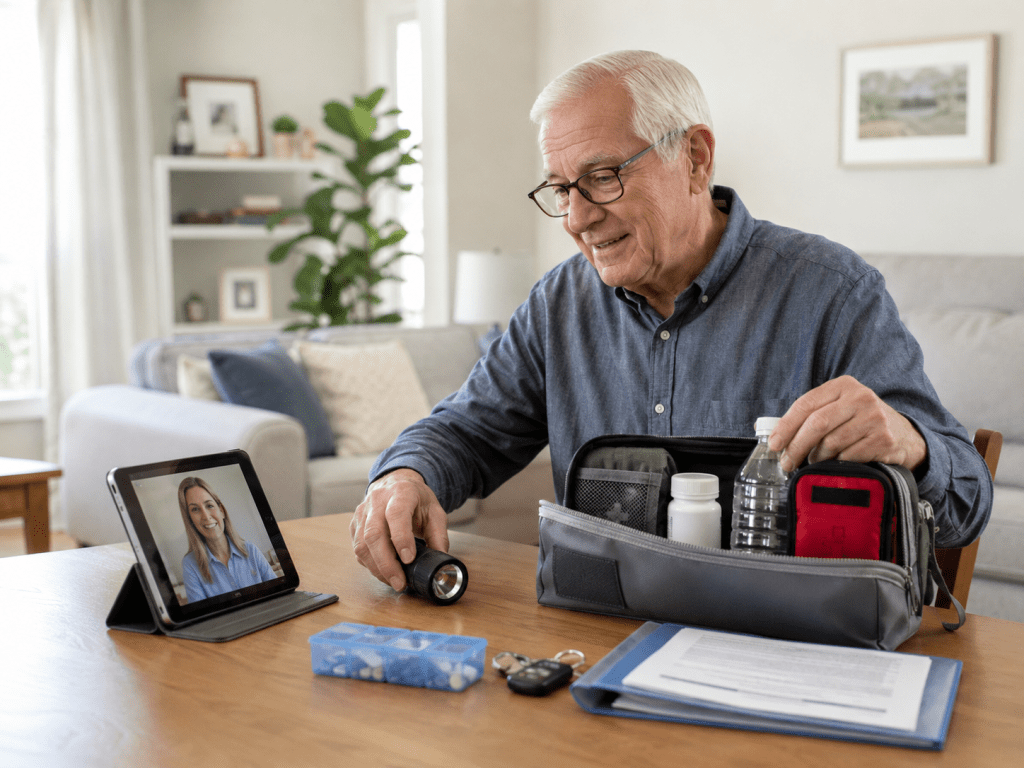
Caring for parents from afar means being ready for emergencies. It’s key to keep them safe and healthy. Having a plan for unexpected situations is crucial.
Creating a Comprehensive Emergency Contact System
A good emergency contact system is essential. It ensures help comes fast when needed. List important contacts like emergency services, neighbors, and healthcare providers. Make sure your parents can easily find this list, maybe on a card or their phone.
Preparing for Medical Emergencies
Medical emergencies are tough when you’re not there. Keep a detailed medical history of your parents. Include their conditions, medications, and allergies. Also, have a plan for emergencies, like knowing when to call 911.
Action Plan for When You Can’t Get There Immediately
When you can’t get there fast, having a plan is key. Look for local resources like in-home care or neighbors who can help. Also, have a backup plan for getting to medical appointments or emergencies.
By following these steps, you can make sure your parents get the care they need, even when you’re far away. Emergency preparedness is more than just a plan. It’s about feeling ready for anything.
Professional Care Options to Supplement Your Remote Support
Long-distance caregivers can use many professional care options to help their aging parents. Your remote care is key, but adding professional services can make a big difference. It can improve your parents’ life and give you peace of mind.
In-Home Care Services: Finding and Managing Caregivers Remotely
In-home care lets your parents get care at home. This care can be simple help with daily tasks or skilled nursing. When picking a care provider, remember to:
- Look up local agencies and their good name
- Do interviews, in person or online, to see if it’s a good fit
- Tell the care provider what care your parents need and what you expect
- Find a way to check if the care is good
Managing caregivers from afar is tough, but tech can help. Use video calls for regular talks with caregivers and your parents. Also, think about using apps to help manage tasks and talk to the care team.
Adult Day Programs and Community Resources
Adult day programs give your parents a place to be social, eat, and get health checks. These programs are great for long-distance caregivers. They offer:
- Friends to talk to and fight loneliness
- Help and watch during the day
- Health services and help to get better
Look for local adult day programs and community resources that fit your parents’ needs.
When to Consider Higher Levels of Care
As your parents’ needs grow, you might need to look at more care, like assisted living. Signs it’s time include:
- Harder time with daily tasks or personal care
- Memory loss or getting worse
- Falling a lot or having medical emergencies
When looking at more care, think about the medical care, staff skills, and the place. Make sure it meets your parents’ needs.
Making the Most of In-Person Visits
In-person visits are a special chance for caregivers to reconnect with their loved ones. They can see how their parents are doing and help them in person. These visits also help caregivers understand their parents’ needs better.
Planning Productive and Meaningful Visits
To make the most of in-person visits, caregivers should plan carefully. This means:
- Creating a schedule that balances caregiving tasks with quality time
- Identifying specific needs or concerns to address during the visit
- Coordinating with local healthcare providers or other support services as needed
By planning ahead, caregivers can make sure their visits are both helpful and meaningful.
Balancing Caregiving Tasks with Quality Time
Caregivers often struggle to balance their duties with spending time with their parents. To find a balance, consider:
- Allocating specific times for caregiving tasks, such as medical appointments or household chores
- Setting aside dedicated time for activities that bring joy and connection, like sharing meals or going for walks
- Being present and engaged during interactions, putting away distractions like phones
Conducting In-Person Assessments During Visits
In-person visits are a great chance to check on aging parents’ well-being. Caregivers can do a full assessment by:
- Observing their parents’ daily routines and living conditions
- Reviewing their medical records and medication management
- Discussing their needs and concerns with them directly
For more tips on supporting aging parents from afar, visit this resource.
Self-Care Strategies for Long-Distance Caregivers
Long-distance caregivers must take care of themselves to keep caring for their loved ones. Caring for aging parents from far away can be tough. It’s key to focus on their own well-being.
Managing Guilt and Distance-Related Anxiety
Long-distance caregivers often feel guilty and anxious. They can establish a regular check-in routine with their parents. Using video calls helps stay connected and informed.
For more tips, visit this resource on being a long-distance caregiver.
Setting Boundaries to Prevent Burnout
Setting clear boundaries is key to avoid burnout. This means delegating tasks to others and taking breaks. It’s also important to say “no” to tasks that drain energy.
Finding Support Groups and Resources for Remote Caregivers
Connecting with others facing similar challenges is very helpful. Support groups offer a safe space to share and get support. Caregivers can also find resources online for guidance.
Conclusion: Bridging the Distance with Love and Technology
As the world’s population ages, caring for loved ones from far away gets harder. Using remote monitoring technologies and showing love helps. This way, long-distance caregivers can keep their aging parents safe and happy.
Remote caregiving needs tech, local help, and professional care. This mix helps caregivers stay close to their parents. They can check on their health and act fast in emergencies.
Technology and a strong support system ease the stress of caring from afar. The smart home market is growing. This means more tools will help remote caregivers.
The secret to good remote caregiving is finding a balance. It’s about using tech, showing love, and getting support. This way, caregivers can give their parents the care they need, even when they’re far away.